

01 / OVERVIEW
The Big Picture
The core of this workflow is simple: skeleton first, flesh later. Pin down spatial relationships, scale and layout with the simplest cubes, then replace them step by step with textures or detailed models. Throughout, handle Tripo-generated models with special care to avoid irreversible mesh changes.
This guide uses Codex as the example (it has built-in image generation, which makes things smoother). Claude Code paired with the Tripo API's image generation can walk the same workflow, though its visual understanding is noticeably weaker.
02 / OVERVIEW
Ground Rules
Set the rules before you start — these run through the entire process, and no step may break them:
- Prepare references thoroughly, especially the top view. Have at least one top view, ideally plus a few elevation angles; don't start building until you have studied them all.
- The AABB stage is placeholder-only. Use the simplest cubes to communicate the size and position of walls, floor and furniture — no shaping or detailing at this stage.
- Standardize naming and grouping from day one. Every object needs a sensible name, organized into groups like structure / furniture / decor — otherwise maintenance gets painful later.
- Produce a reference with placed objects removed. Before texturing and asset decisions, mask out objects already covered by AABBs — this image only tells you what is still missing; never use it to rework a layout you have already settled.
- Check wall, floor and ceiling textures one by one. Focus on flipped or mirrored orientation, whether the tiling scale looks natural, and whether the seams are acceptable.
- Never modify Tripo-generated models non-uniformly: uniform scaling only (X, Y, Z locked in proportion), never stretch a single axis, and never Apply Transform or bake transforms into the mesh — that makes later rollback impossible.
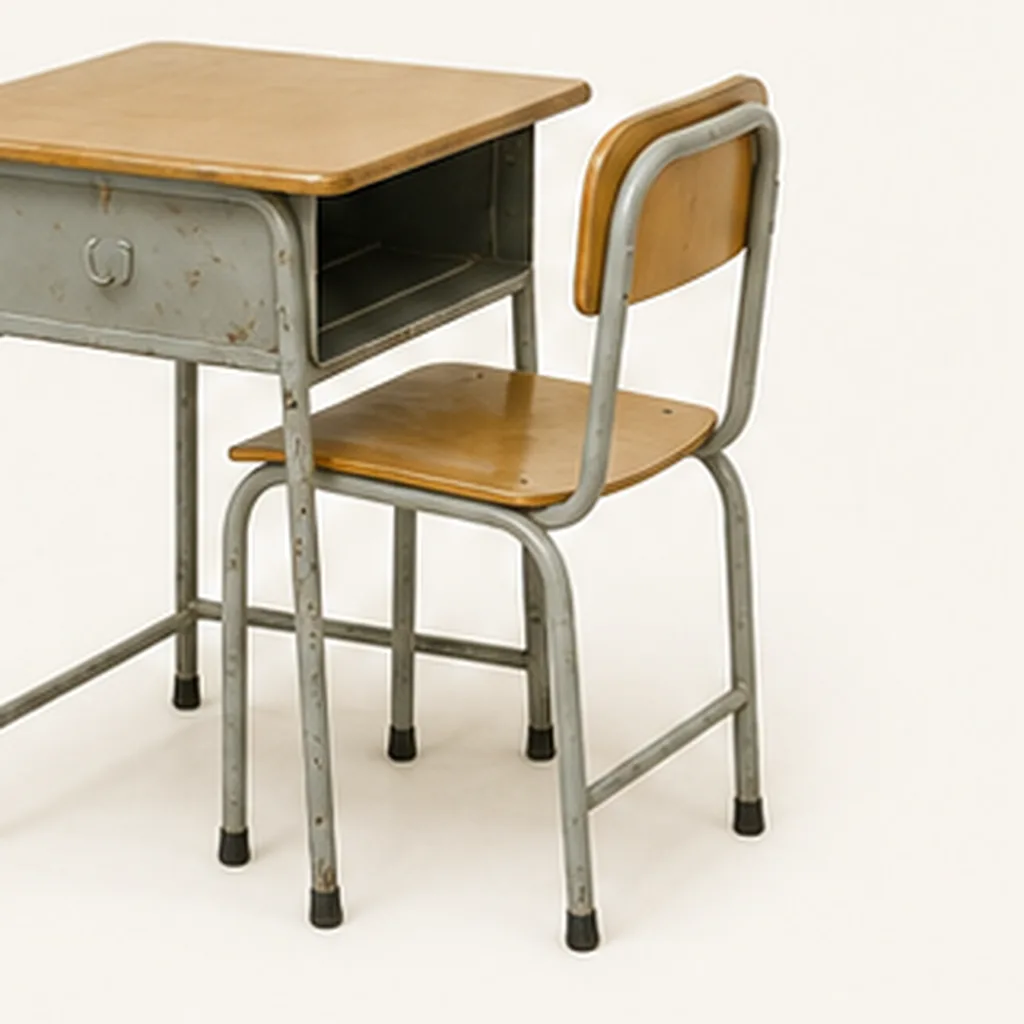
- Every object sent to Tripo needs its own reference image. Never crop them from one scene screenshot in bulk — output a clean, dedicated reference for each single object or bundled group.
03 / OVERVIEW
Gather Multi-Angle References
Everything starts with references. The goal this time: recreate this real classroom in Blender:
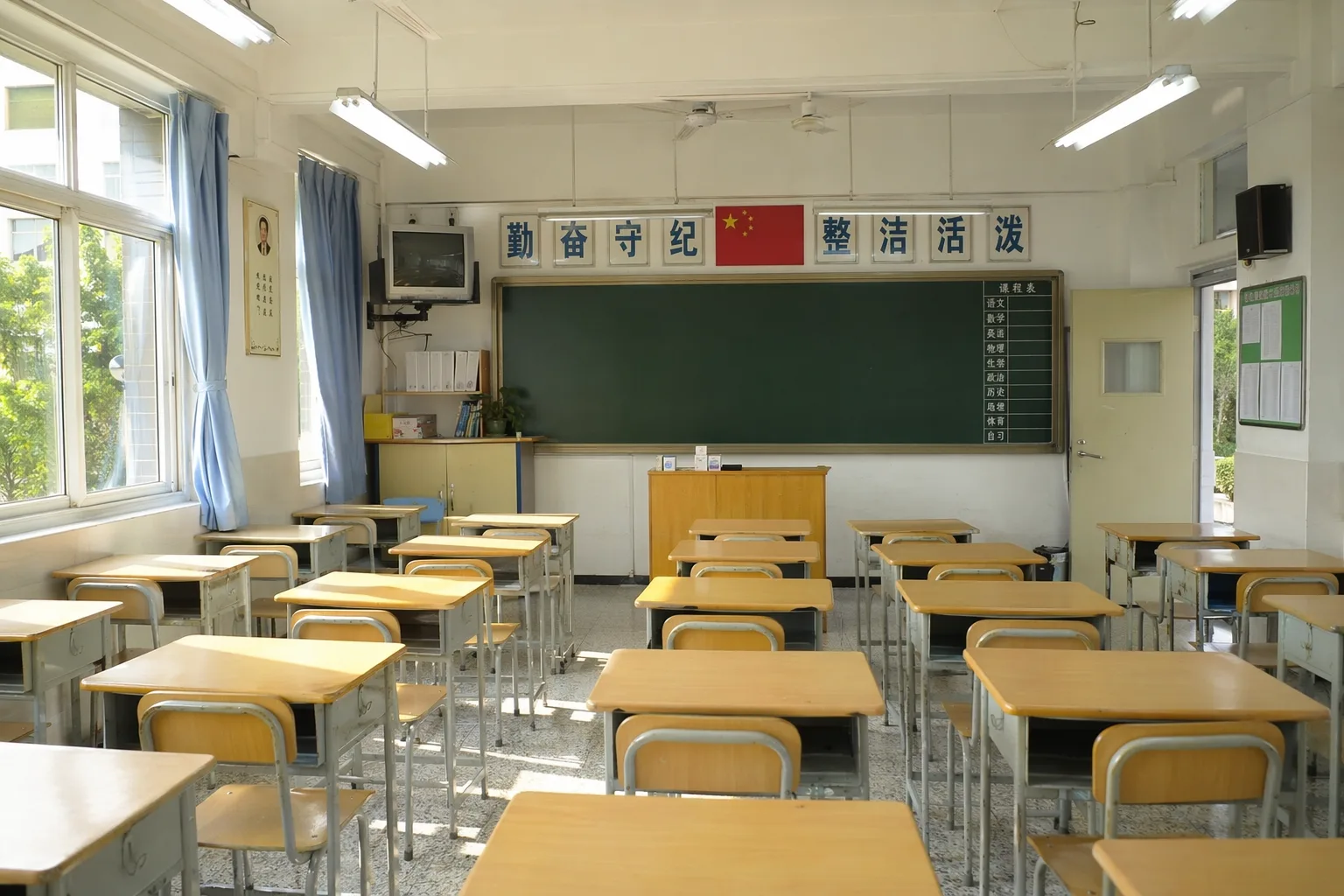
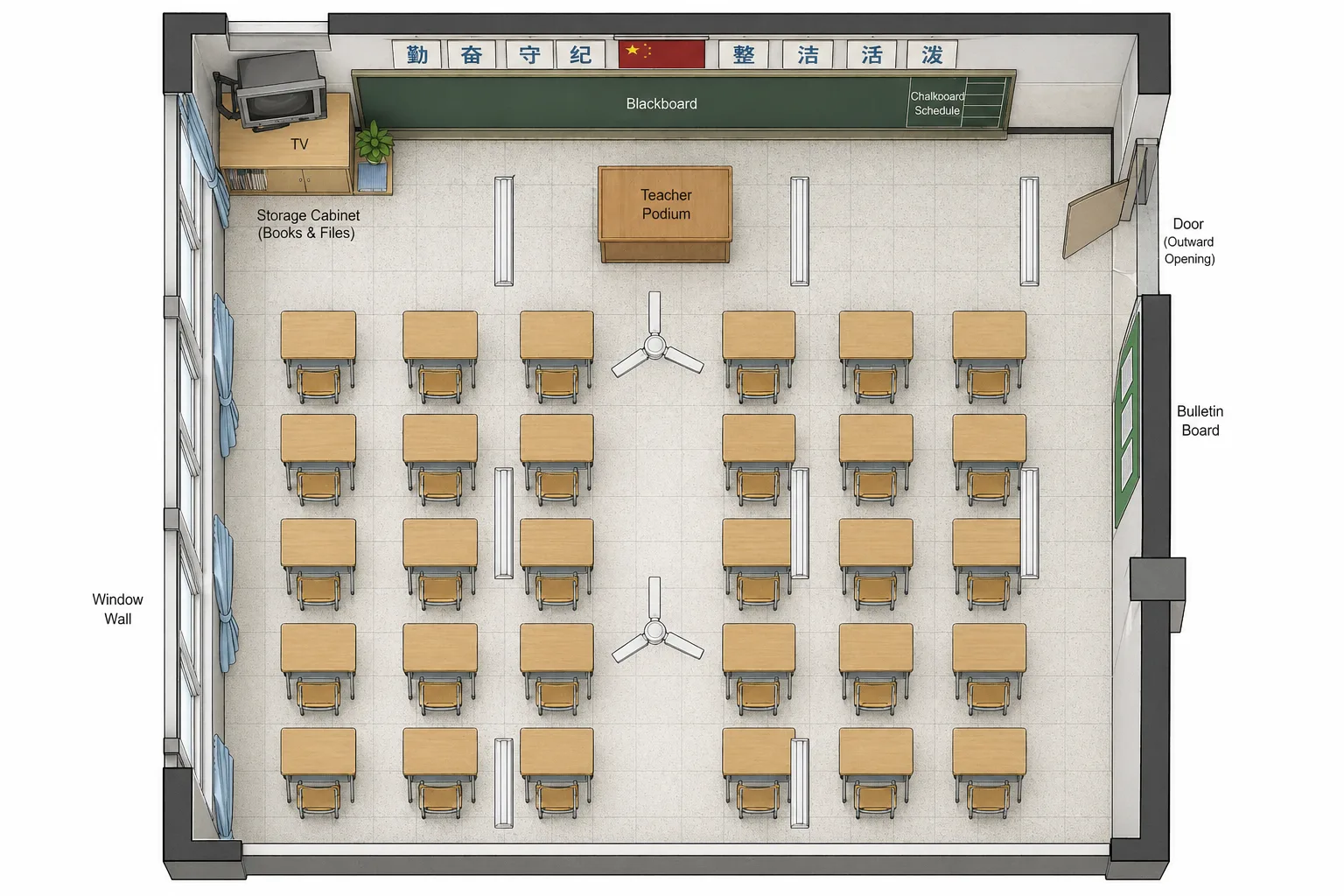
From the original reference, use Codex's AI generation to fill in a few key views (the Tripo API's image generation works too, but Codex's built-in one is more convenient):
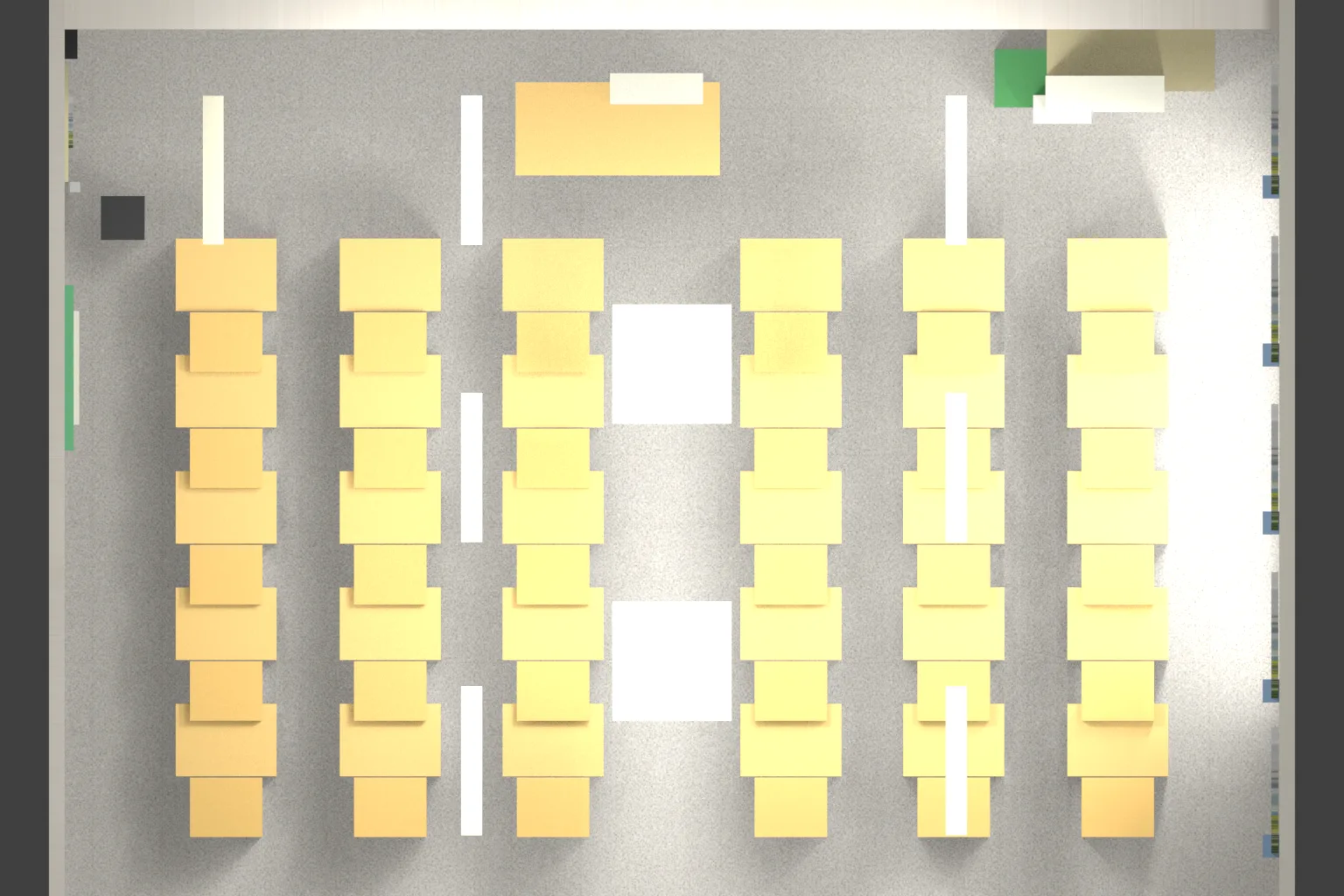
- A top view (mandatory) to grasp the overall floor plan.
- Left, right and back views as needed, to calibrate heights and depth.
All references must share one orientation convention: which side is the front wall, how left and right are defined, and what real-world size one Blender unit represents. After this step you should have reference_top.png (the top-view reference) plus whatever auxiliary views you need.
04 / OVERVIEW
Build the AABB Blockout
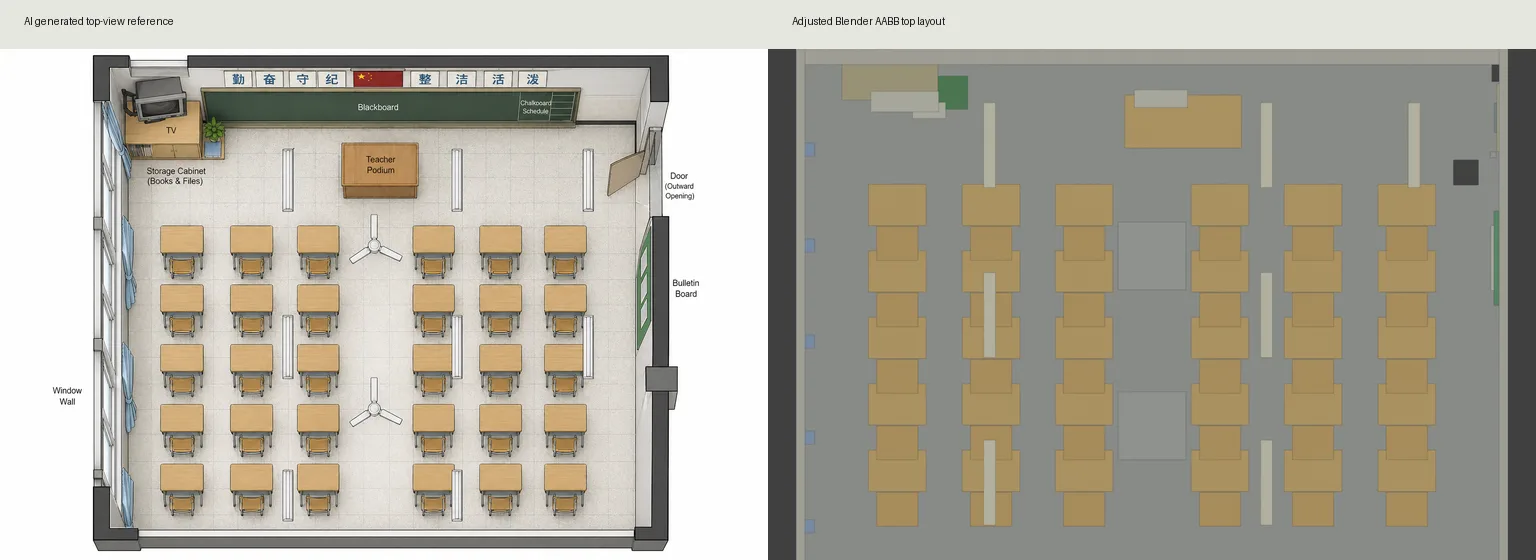
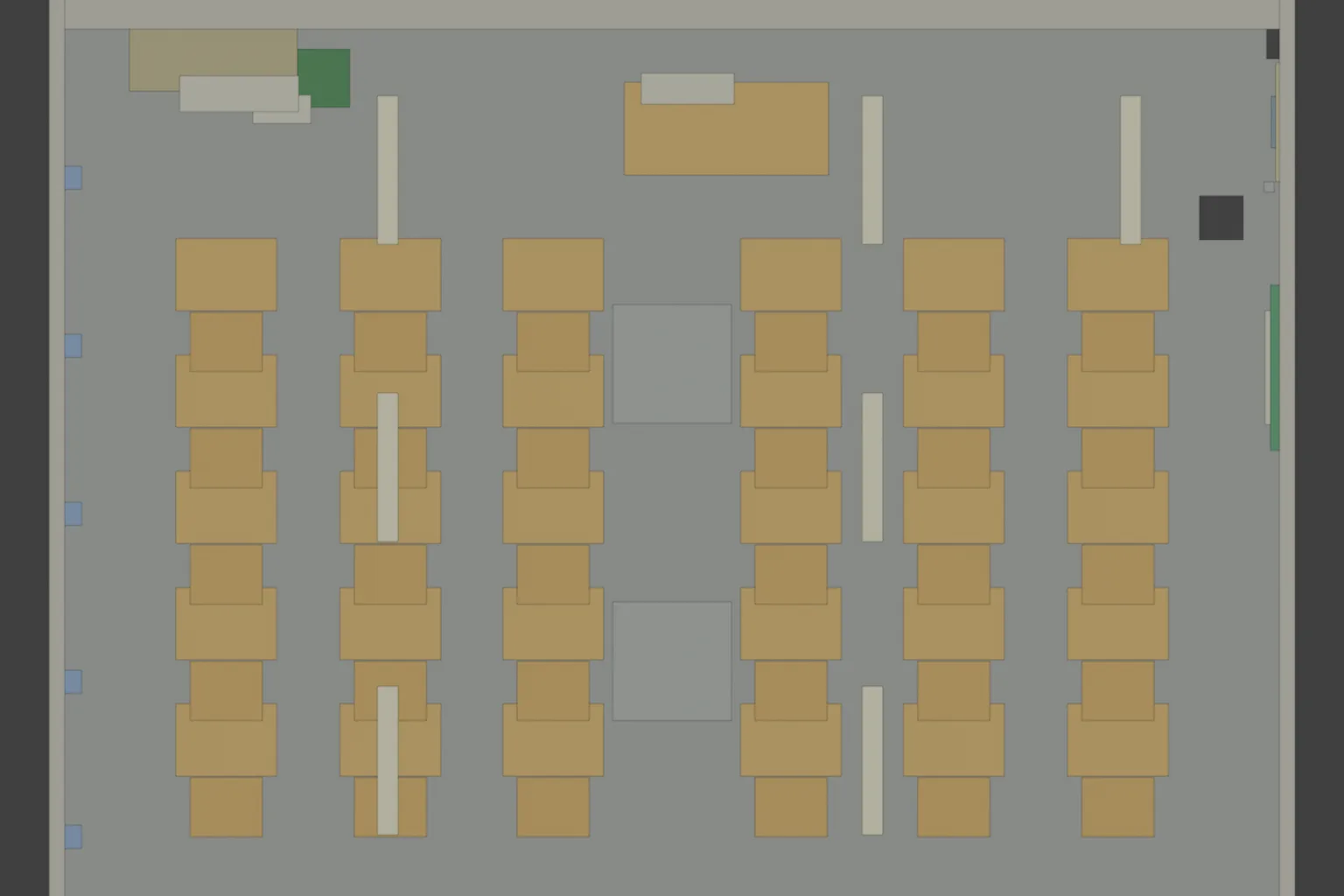
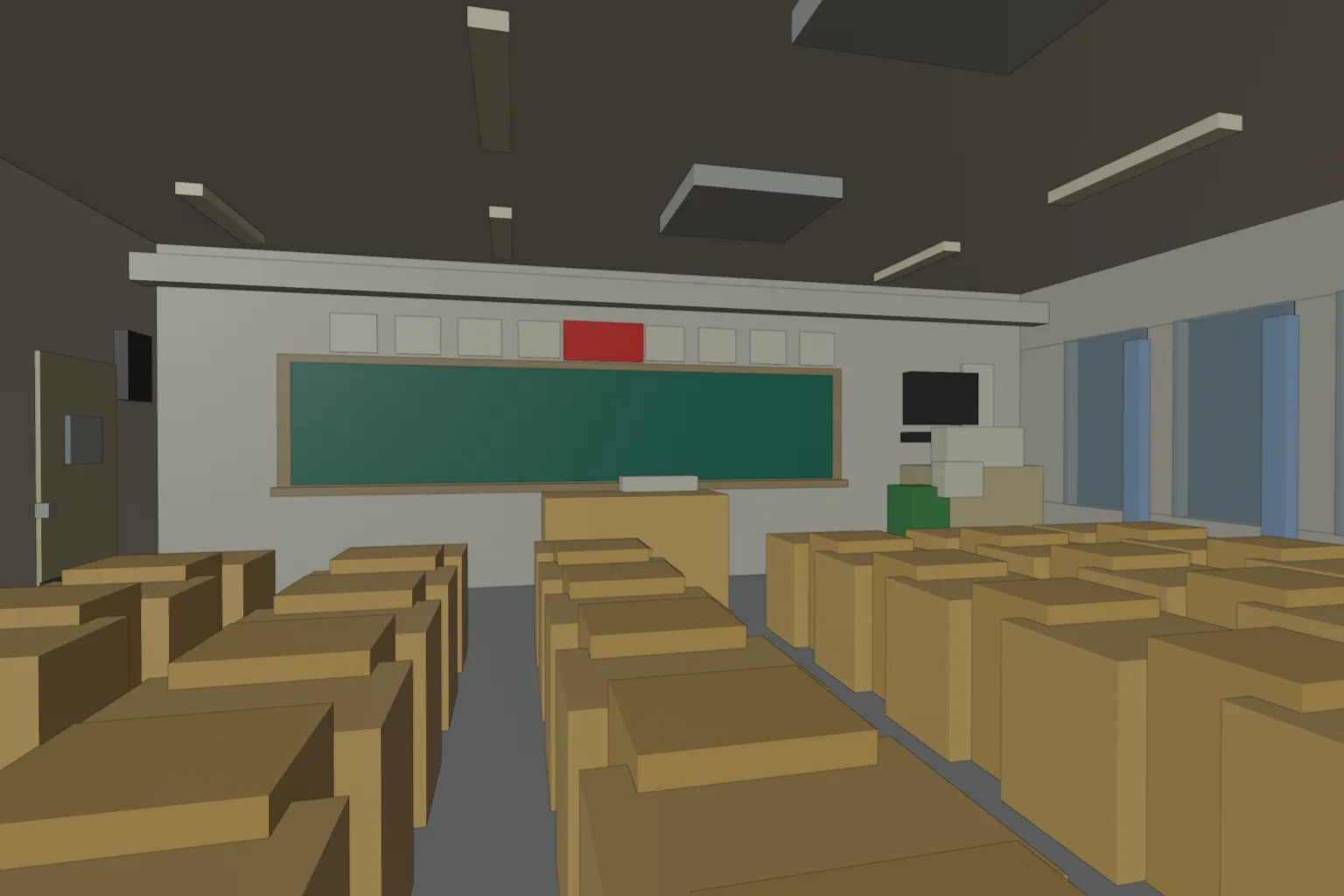
Place the cubes in order — structure first, then large furniture, then small items:
- Start with the floor, walls, ceiling and door/window openings to enclose the space.
- Then the big functional pieces: podium, desks and chairs, cabinets.
- Finally, reserve areas for plants, notice boards, wall fixtures and equipment with small cubes so nothing gets forgotten.
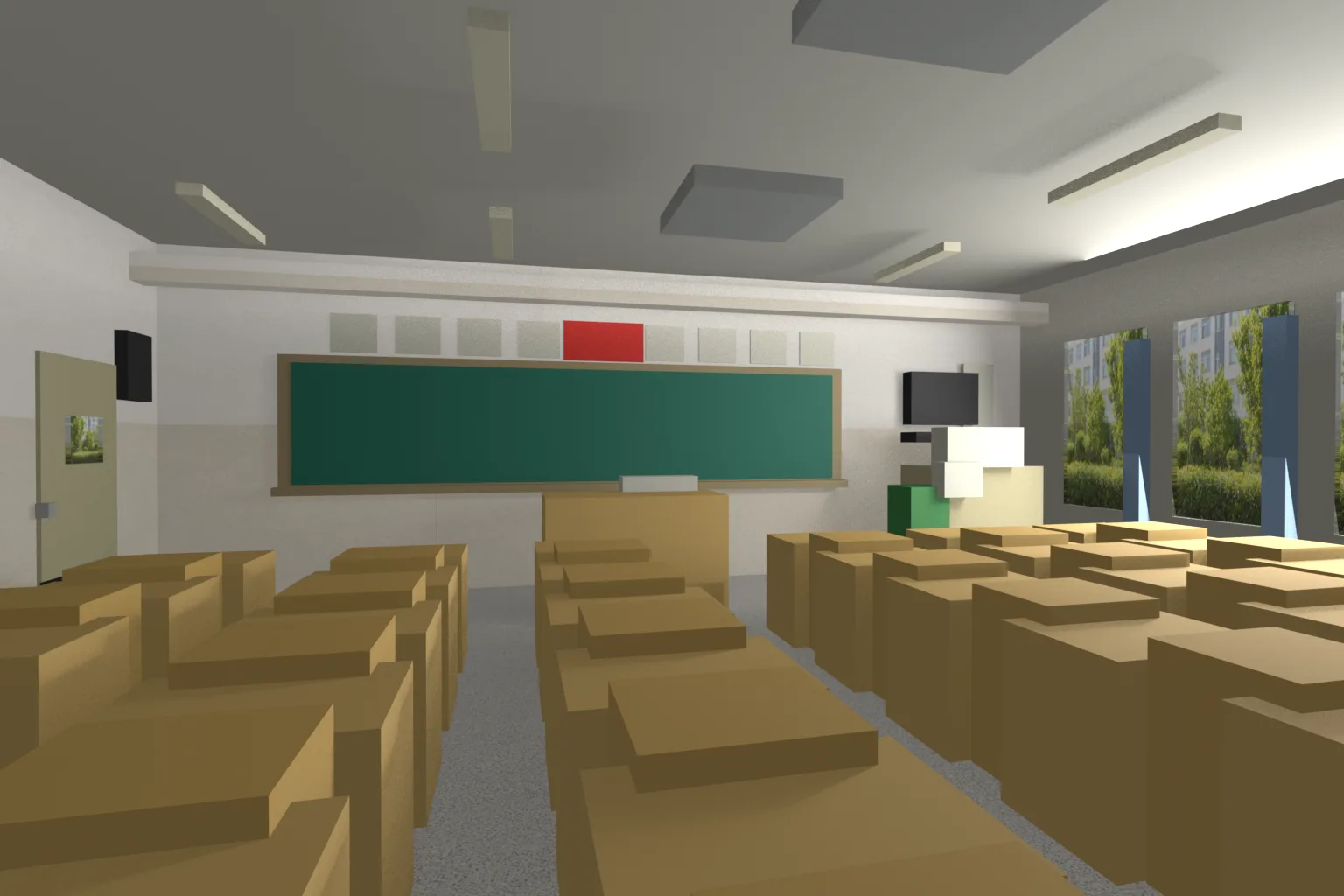
This stage is pure geometric placeholding — no modeling. When done, save a blockout .blend and generate AI top and perspective views to check proportions and positions.
05 / OVERVIEW
Standardize Naming, Build the Manifest
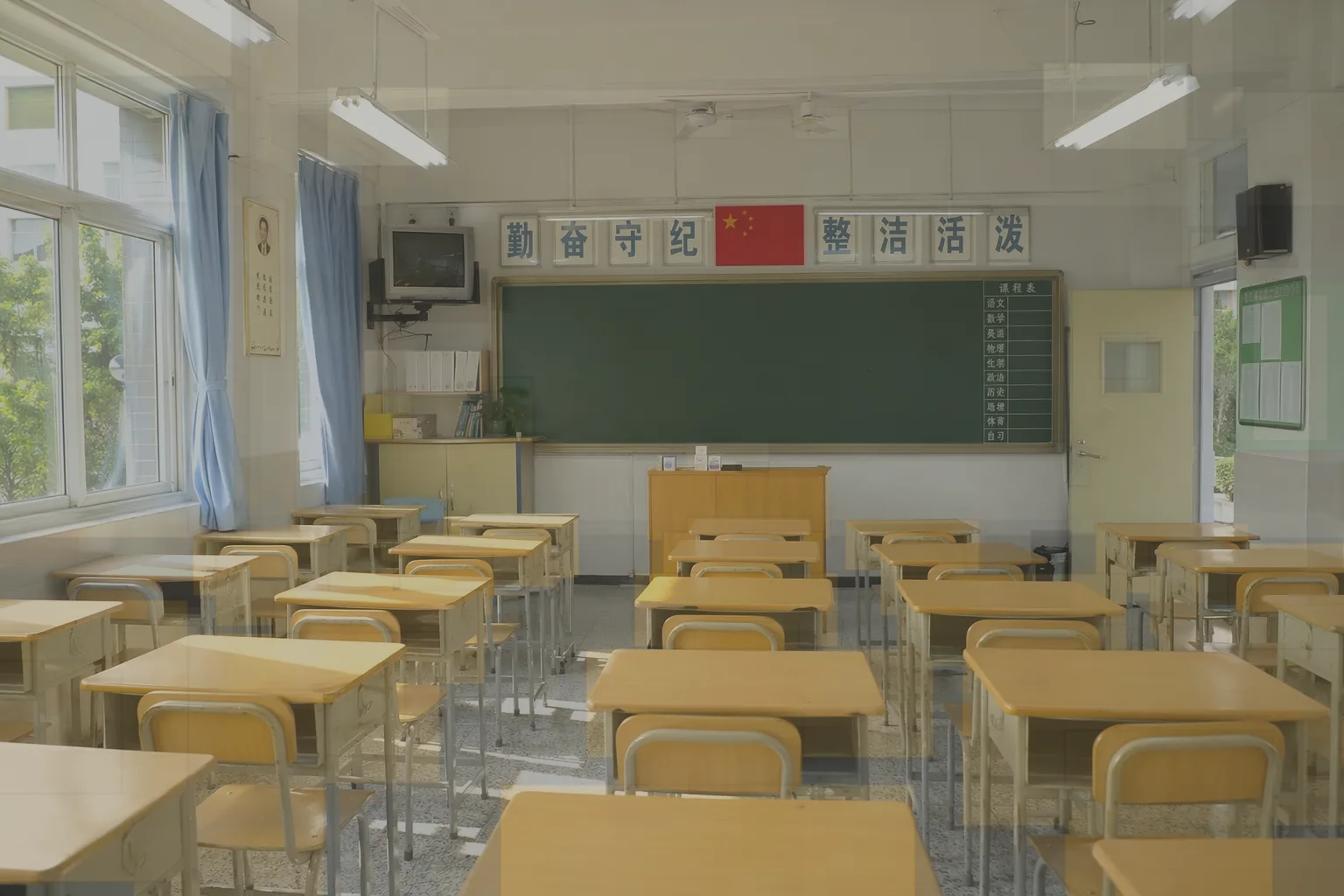
Name objects as category_semantic_index. Then generate a manifest recording object names, semantic categories, counts, sizes and rough positions. Merge duplicates by semantics to get the asset types you actually need to generate.
Export *_manifest.json and the deduplicated list, then generate an AI coverage-check image.
06 / OVERVIEW
Produce the "Cleared" Reference
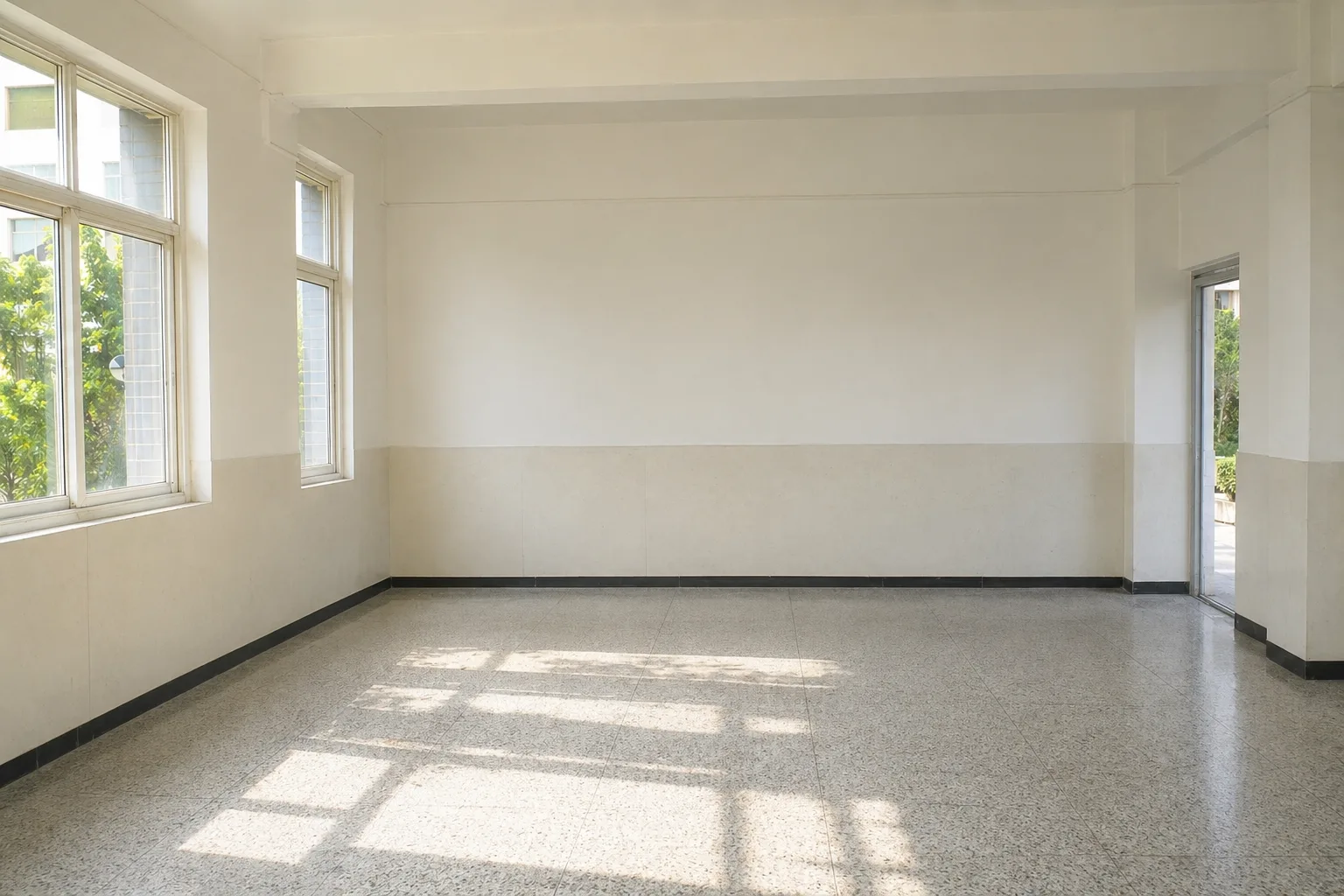
Use Codex's image generation to mask or erase objects already represented by AABBs from the reference, producing scene_without_placed_items.png. This image only serves later texturing and asset gap-filling — never use it to re-layout.
07 / OVERVIEW
Generate and Apply Structural Textures (Walls, Floor, Ceiling)
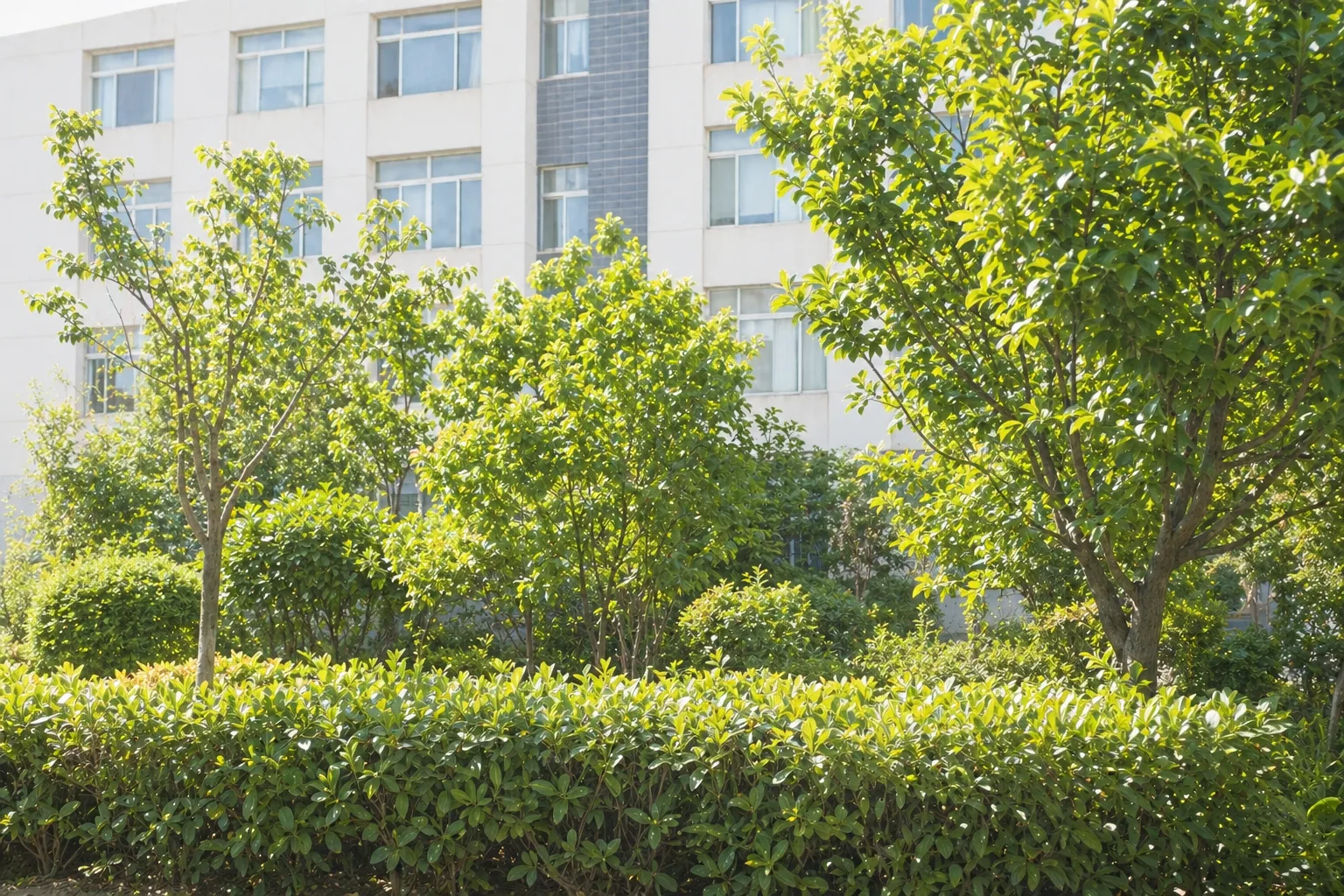
From the cleared reference, generate wall, floor and ceiling textures with AI and apply them to the matching surfaces. After each surface, check:
- Orientation is correct (not flipped or mirrored).
- Tiling scale looks natural, with no stretching.
- Seams at corners and floor-wall joints are acceptable.
After this step you will have a .blend with base materials, plus renders for verification.


08 / OVERVIEW
Asset Strategy: Texture or Tripo
Split the scene's objects into three buckets:
- Texture-only: flat, shallow-relief or distant items — posters, blackboard writing, notice-board paper.
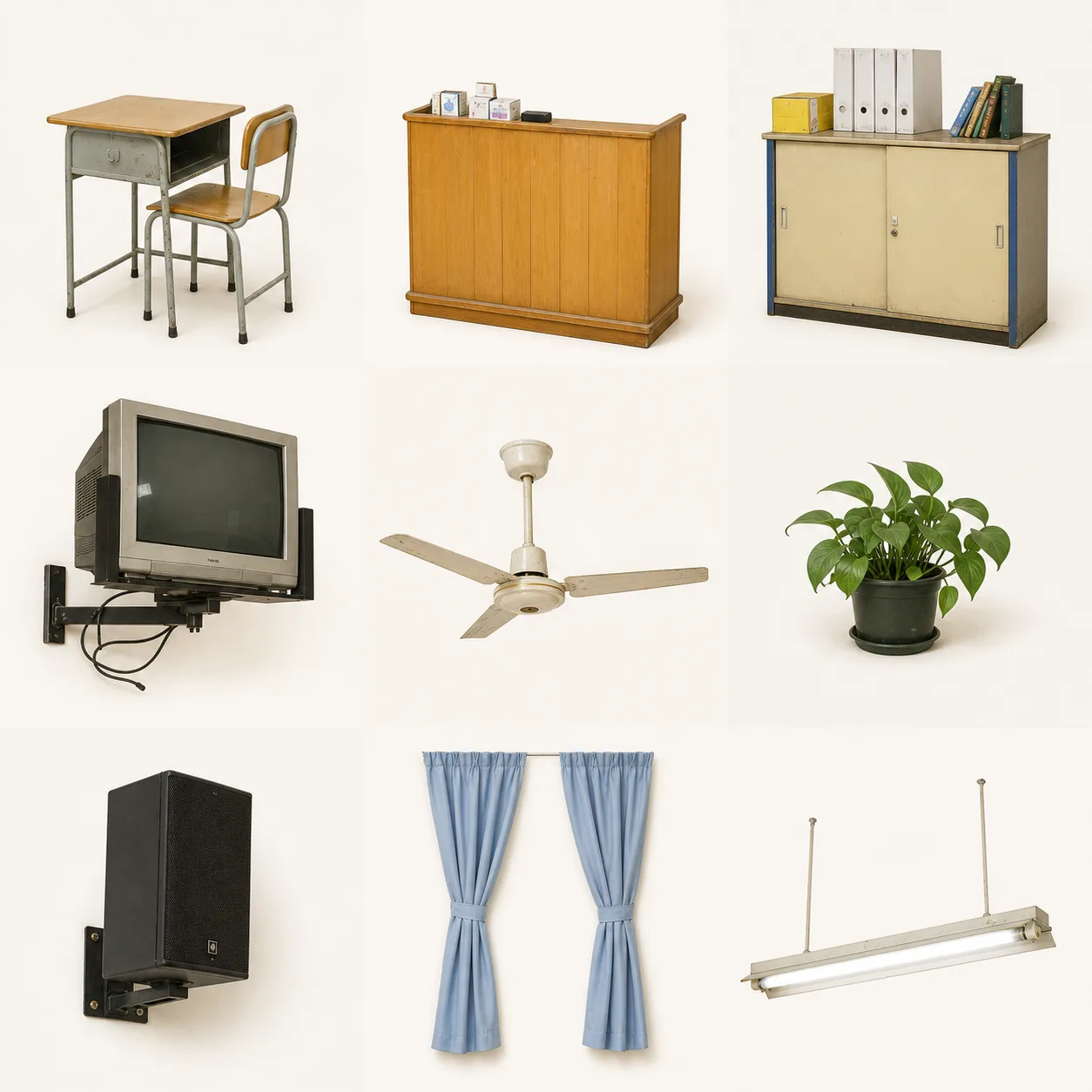
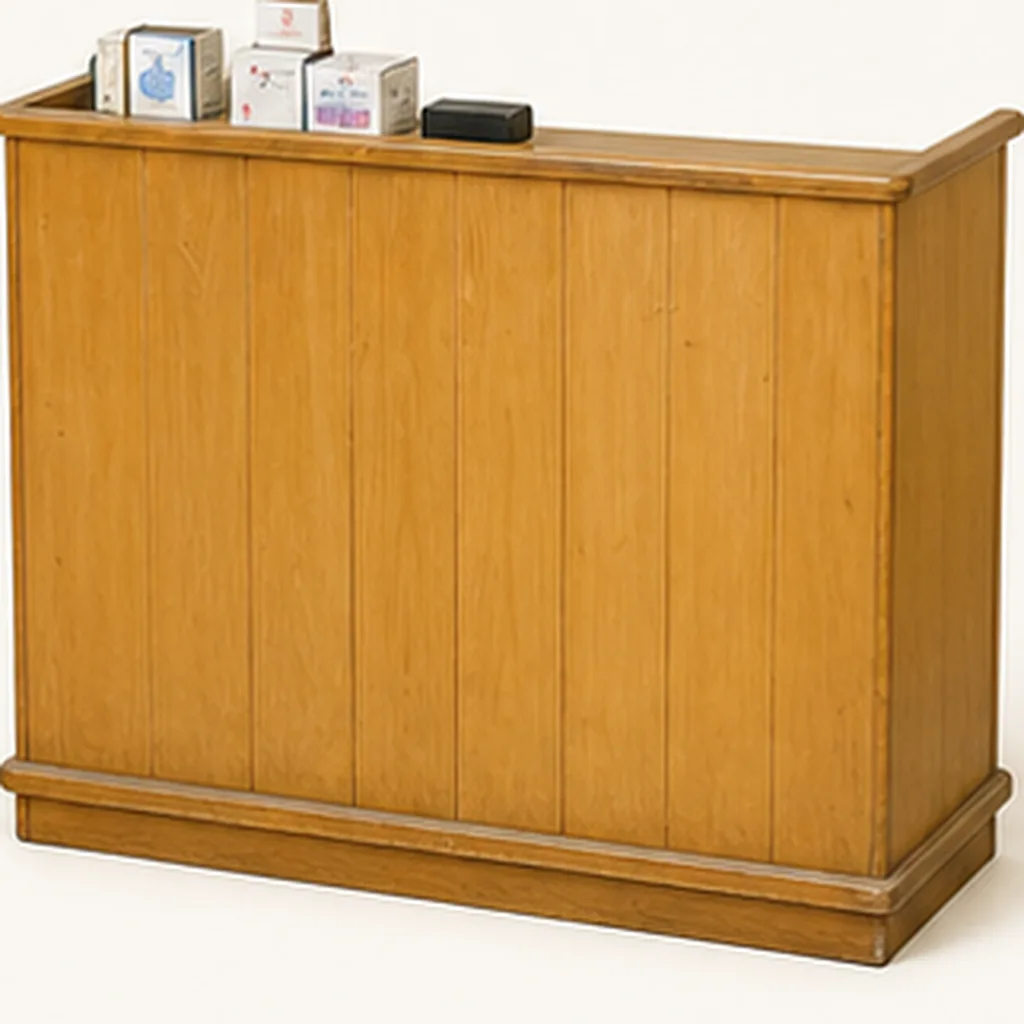
- Tripo single objects: standalone items whose silhouette matters — chairs, the podium, potted plants.
- Tripo bundles: tightly coupled combos that generate more accurately together, like "podium + items on top".
Compile an asset-strategy table and generate an AI asset overview annotating how each object will be handled.
09 / OVERVIEW
Prepare Single-Object References for Tripo
This step is mandatory: for every single object or bundle, generate a dedicated clean reference with Codex (the Tripo API's image generation works too) — plain background, an angle that reveals the volume clearly. Collect them all under tripo_inputs/. You can have the AI generate several objects on one sheet, then split it into singles.
10 / OVERVIEW
Generate Models with the Tripo API, Replace Placeholders
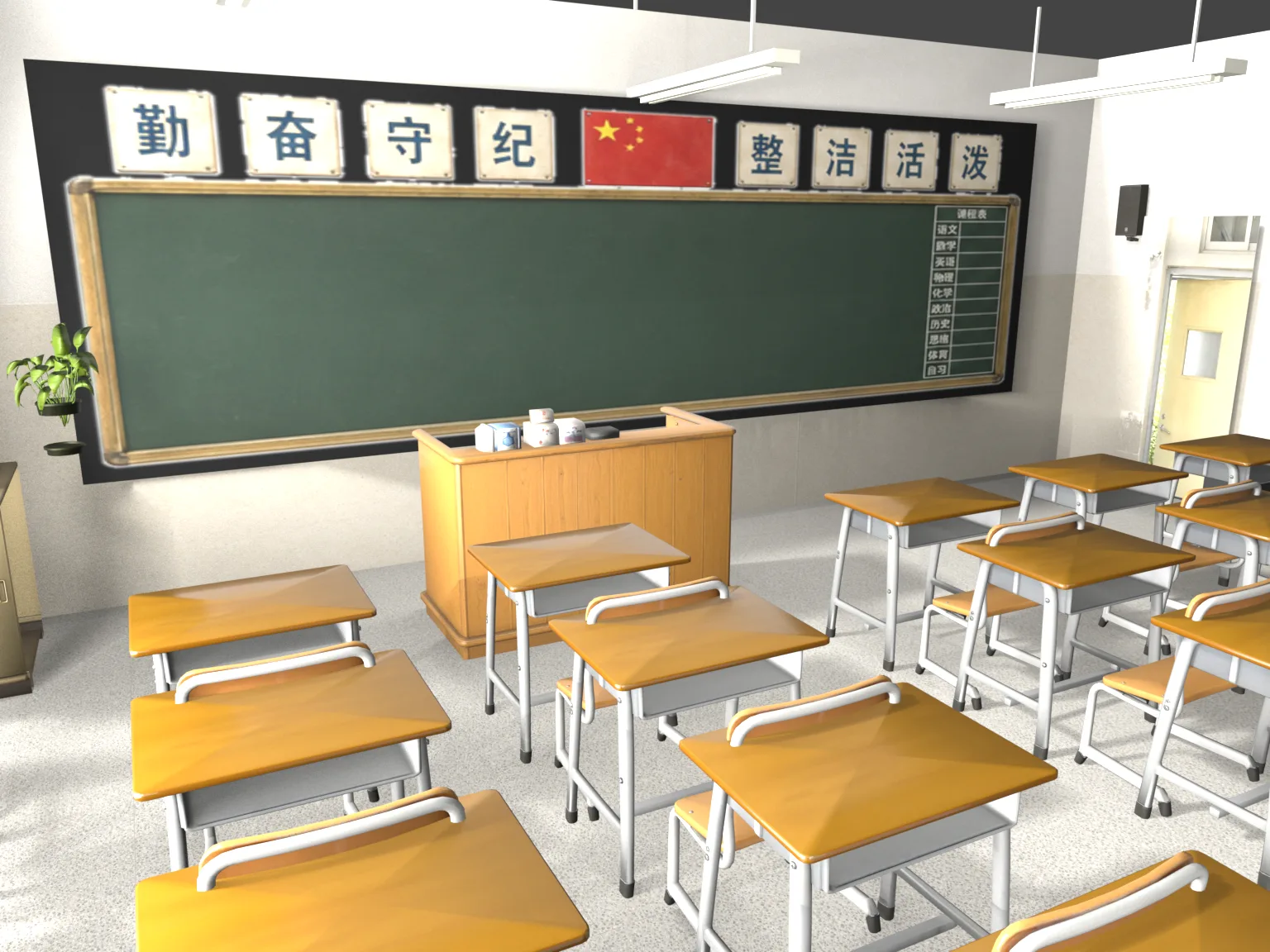
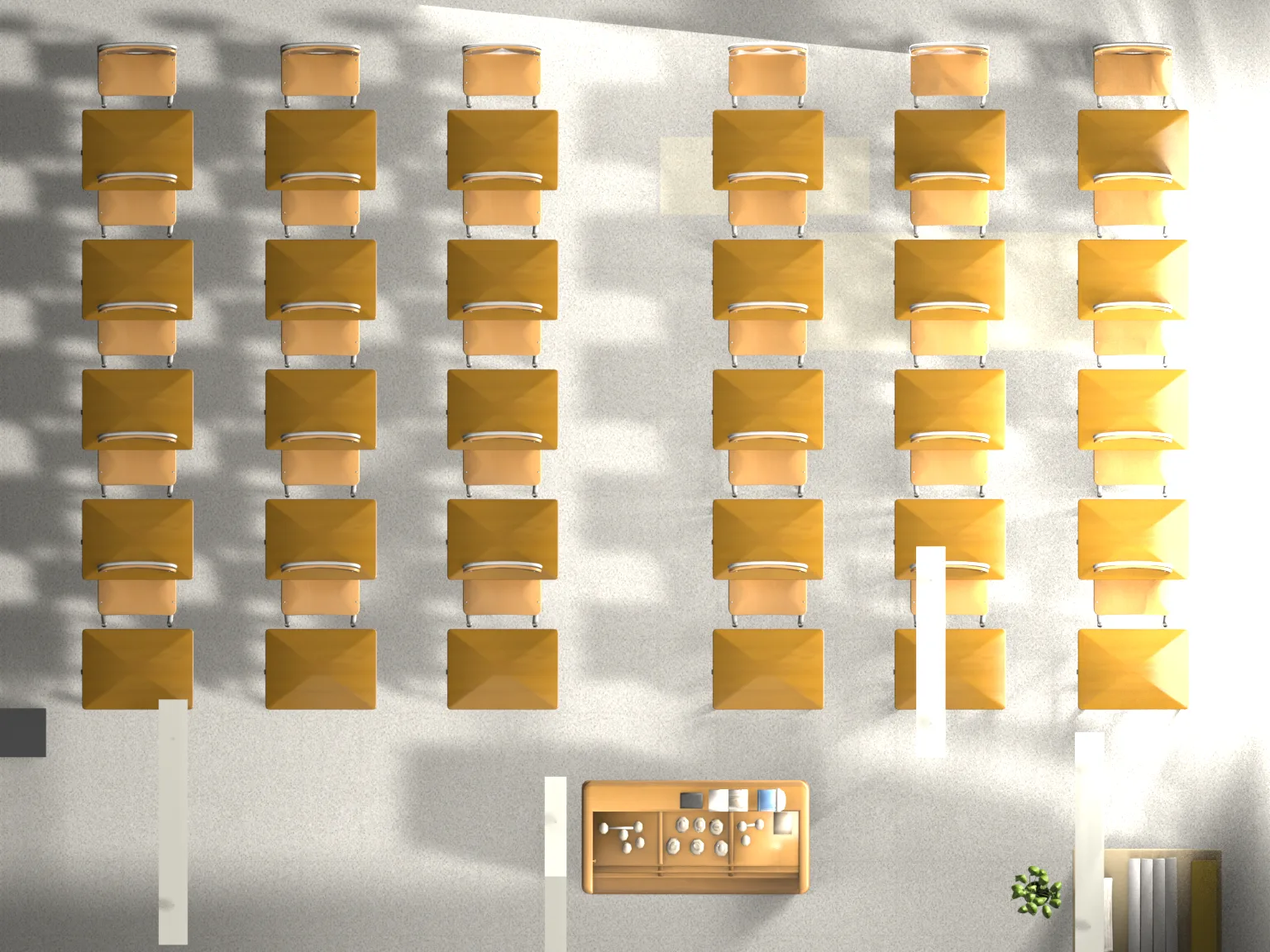
Generate models from the references with the Tripo API (a packaged Tripo3D Skill is provided at the end), import them into the scene, and align position and orientation with object-level transforms. Scaling must be uniform only.
Three hard requirements:
- No non-uniform scaling.
- No Apply Transform.
- Keep the AABB placeholder layer for rollback and cross-checking.
After replacement, save a new .blend and generate AI perspective and top views of the result.
11 / OVERVIEW
Lighting and Mood
Audit lighting against the AI reference first, then adjust lights, and only touch exposure last — keep this order. During the audit, hands off the lights; confirm five things:
- Key light direction (which side the window or sunlight comes from).
- Where the bright highlights land on the floor and desktops.
- Shadow hardness and the layering of contact shadows.
- Indoor fill intensity and bounce color.
- The contrast between outdoor brightness and the interior.
Then build the light hierarchy, strongest to weakest:
- Key: sun or area light on the window side, defining shadows and the main direction.
- Secondary: sky or ambient fill on the window side, clearly weaker than the key.
- Practicals: ceiling and fluorescent lights — physically present but never dominating brightness.
- Weak fill: only to keep shadows readable, never too bright.
While tuning lights, always follow:
- Never flood the scene with strong ambient or camera fill light.
- Exposure compensation is for final tweaks only — it must not substitute for the light hierarchy.
- Windows must stay transparent — an opaque window loses both the view and the incoming light.
Volumetrics are optional and local only, at low density — avoid harsh bright edges or "white lines through walls".
Iterate on one main problem at a time: state the goal for the round, adjust parameters slightly, quick-render from the same camera, compare against the AI reference, and judge improvement vs. regression — on regression, roll back first. Produce quick previews *_light_pass_preview.png and the converged *_light_final.png.
12 / OVERVIEW
Final Checks
Run through this checklist before wrapping up:
- Objects are selectable — nothing wrongly locked or hidden.
- All Tripo models are uniformly scaled, transforms not applied.
- Visually consistent with the AI reference: composition, light direction, object orientation.
- Versioned saves: blockout, textured and Tripo-replaced files never overwrite each other.
13 / OVERVIEW
Deliverables and When to Stop
Deliver at least three versions, along with the manifest, the asset-strategy table and the key verification renders:
*_aabb_layout.blend— pure blockout placeholders.*_aabb_textured.blend— with base structural textures.*_tripo_replace.blend— the full version after Tripo replacement.
Also know when to stop. Once the following are met, stop pouring effort into endless tweaking — the returns diminish fast:
- Composition, key-light direction and core spatial relationships basically match the AI reference.
- Key objects — podium, desks, doors, windows, blackboard — have correct proportions and orientation.
- Texture orientation, tiling and visible seams are all within acceptable range.
- Every Tripo object satisfies "uniformly scaled, transforms unapplied, rollback-ready".
At that point, switch to manual fine-tuning to finish — AI vision is actually quite poor at orientation and proportion, so trust your own eyes more as you approach the end.
14 / OVERVIEW
Final Result and Toolkit
Here is the final frame after many, many rounds of iteration:
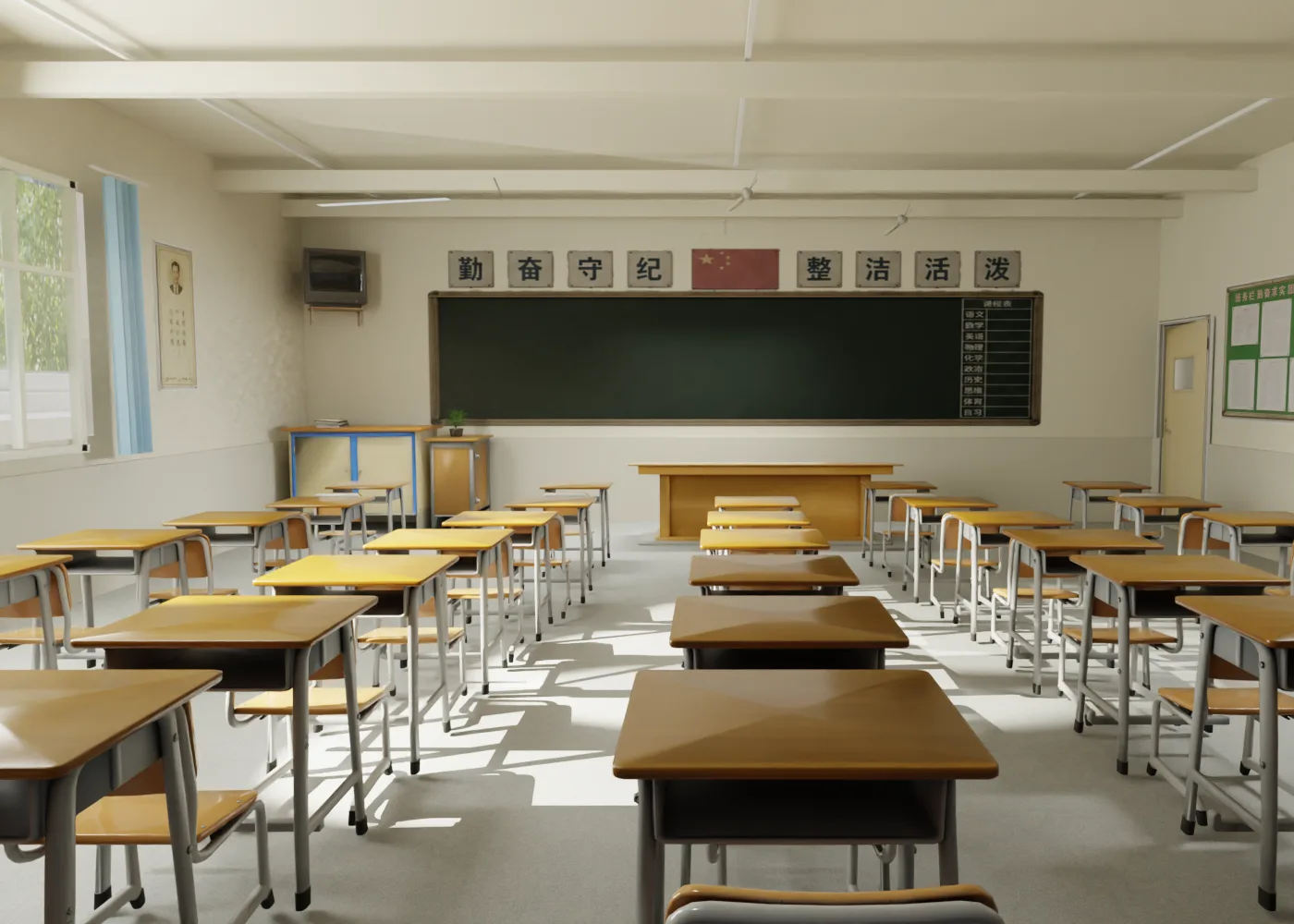
To reuse this workflow directly, download the packaged Tripo3D Skill: install it into Codex or any skill-capable AI coding tool, and it will call the Tripo API to generate models exactly as described here.
Download the Tripo3D Skill pack