

01 / 개요
개요
이 튜토리얼은 Claude Opus 5.5, Godot, Tripo CLI를 결합해 플레이 가능한 GTA 스타일 도시 프로토타입을 만드는 실용적인 워크플로를 소개합니다. 이 워크플로는 게임플레이 프로토타이핑과 3D 에셋 제작을 분리합니다. Claude가 Godot 프로젝트를 만들고 테스트하는 동안, Tripo는 나중에 씬으로 가져올 캐릭터, 차량, 환경 에셋을 만듭니다.
이렇게 나누면 반복 작업이 더 빠르고 안정적입니다. 먼저 기본 도형으로 도시 레이아웃과 핵심 상호작용을 검증한 다음, 프로젝트 전체를 다시 만들지 않고 자리표시자를 하나씩 프로덕션용 GLB 에셋으로 교체할 수 있습니다.
02 / 개요
이 워크플로로 만들 수 있는 것
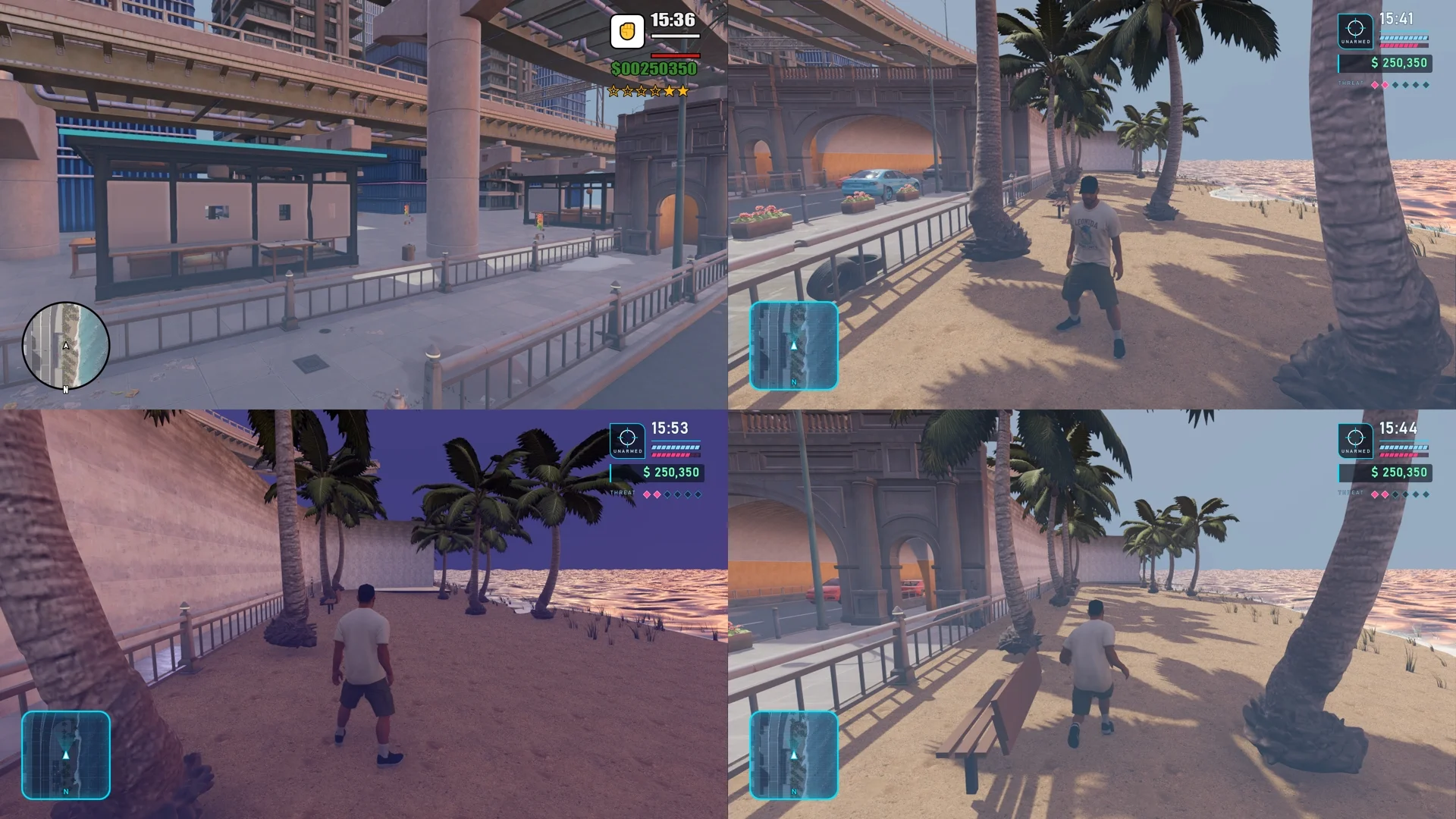
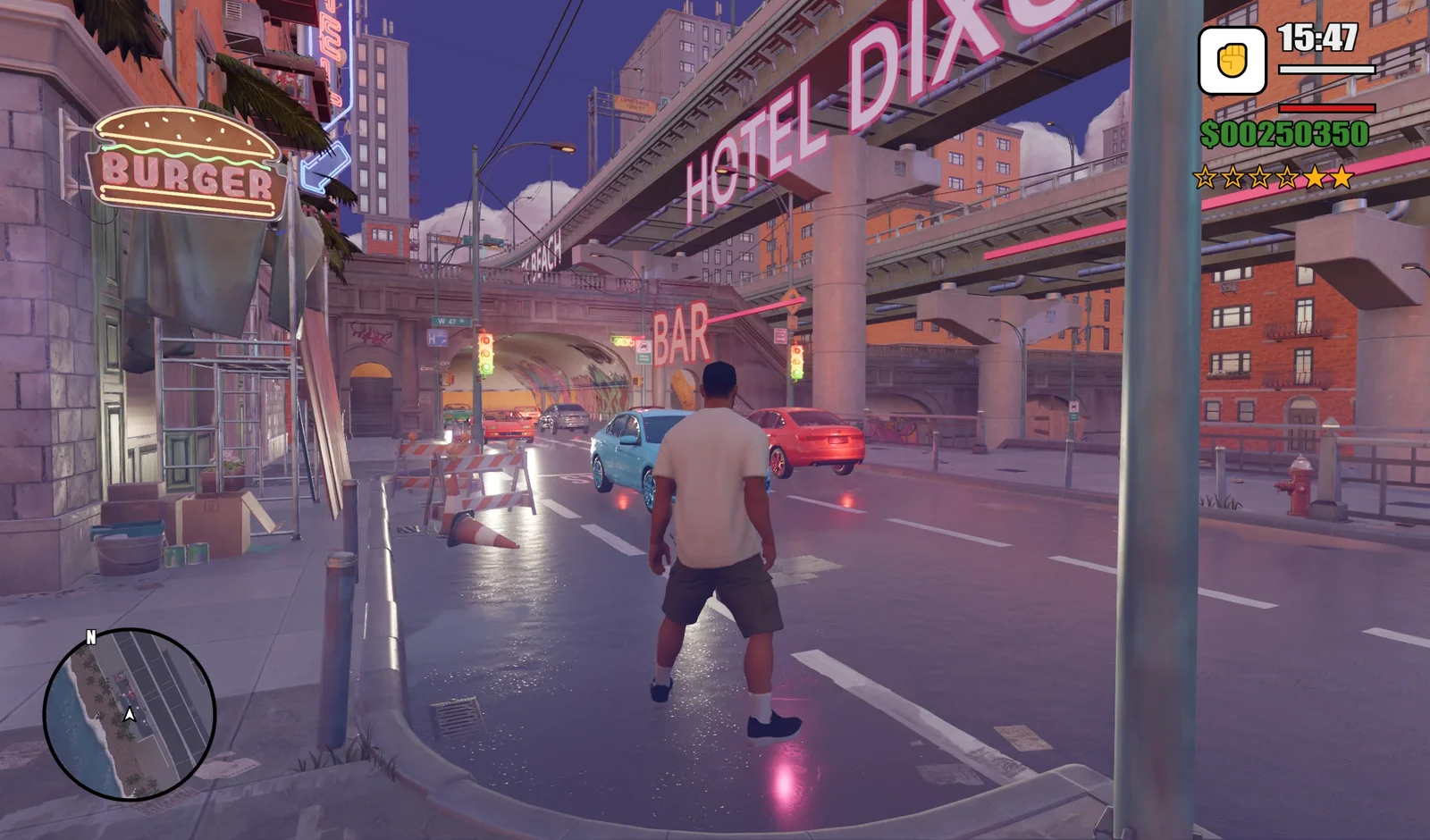
이 튜토리얼을 마치면 다음 기능을 갖춘 GTA 스타일 해안 도시 프로토타입을 실행할 수 있는 Godot 4 프로젝트가 완성됩니다.
- 도로, 터널, 고가 구조물, 해안가를 갖춘 도시 거리. 차량이 양방향으로 순환 주행하고, 플레이어는
F를 눌러 차량에 타고 운전할 수 있습니다. - Tripo로 참조 이미지에서 생성한 뒤 리깅하고 애니메이션 7개를 붙인 조작 가능한 캐릭터.
V로 전환하는 3인칭·1인칭 카메라와T로 전환하는 낮/밤 환경.- 원형 미니맵과 시간, 체력과 방어구, 돈, 수배 레벨을 표시하는 HUD.
03 / 개요
왜 Tripo와 Claude Opus 5.5를 함께 쓰는가?
두 도구는 서로를 보완하는 역할을 맡습니다. Claude Opus 5.5는 Godot MCP로 Godot에 연결해 씬과 GDScript를 만들고, 프로젝트를 실행하고 결과를 확인합니다. 게임 구상을 실제로 돌아가는 프로토타입으로 바꾸는 것이 Claude의 역할입니다. Tripo는 에셋 제작을 맡습니다. 캐릭터, 차량, 소품은 모두 Tripo CLI로 GLB 파일로 생성할 수 있고, 캐릭터는 같은 워크플로 안에서 리깅과 애니메이션까지 할 수 있습니다.
기본 도형으로 시작하면 도시 레이아웃과 게임플레이를 일찍 테스트할 수 있습니다. 프로토타입이 제대로 돌아가면 같은 리소스 경로에서 자리표시자를 Tripo 에셋으로 교체합니다. 에셋 생성 작업 하나가 실패해도 씬의 나머지 부분에 영향을 주지 않고 그 에셋만 다시 시도할 수 있습니다.
04 / 개요
시작하기 전에
- 생성 도구 설치:
npm install -g tripo-cli로 Tripo CLI를 설치합니다. 이 튜토리얼에서는 CLI로 일괄 생성합니다. - Tripo 인증:
tripo login을 실행하고 브라우저에서 인증 절차를 마칩니다.tripo whoami와tripo balance로 계정과 사용 가능한 크레딧을 확인합니다. API 키를 채팅이나 프로젝트 파일에 붙여 넣지 마세요. - Godot 프로젝트 준비: Godot 4를 설치하고, 캐릭터 참조 이미지를 준비하고, Claude가 프로젝트 디렉터리에 접근할 수 있는지 확인합니다.
- Godot MCP 연결: Godot MCP를 쓰면 Claude가 Godot 에디터에 연결해 노드를 만들고, 씬을 편집하고, 프로젝트를 실행할 수 있습니다. Node.js 18 이상을 설치한 뒤 Claude Code에서
claude mcp add godot -- npx @coding-solo/godot-mcp를 실행합니다. 다른 MCP 클라이언트에서는npx @coding-solo/godot-mcp를 해당 설정에 추가합니다. Claude에게 씬 수정을 요청하기 전에 MCP가 Godot에 연결되어 있는지 확인하세요.
05 / 개요
1단계: Claude로 게임 프로토타입 만들기
먼저 Claude Opus 5.5에게 Godot 노드, 기본 도형, 머티리얼, 조명, 카메라, 스크립트만 사용해 실행 가능한 GTA 스타일 해안 도시 프로토타입을 만들어 달라고 요청합니다. 이 단계에서는 도시 블록아웃, 도로, 건물, 터널, 고가 도로, 해안가, 임시 차량, 낮/밤 전환, 1인칭·3인칭 카메라 조작에 집중합니다. 최종 3D 에셋을 넣기 전에 구도와 상호작용을 검증하는 것이 목표입니다.
Inspect the current Godot project and build a runnable GTA-style coastal city prototype. Use only native Godot nodes and primitive geometry such as BoxMesh, PlaneMesh, and CylinderMesh, together with road meshes, collision bodies, materials, lights, cameras, and GDScript. Create walkable roads, buildings, elevated roads, tunnels, a waterfront and water surface, placeholder palm trees and street lamps, and simple placeholder vehicles. First complete an explorable city blockout with basic collision, a day/night toggle, and first-person/third-person camera switching. Run the project and verify that the overall scene and interactions match the reference image. Create all nodes, scripts, and scenes inside the Godot project. Save the scene as res://scenes/neon_coast.tscn and keep the structure ready for Tripo-generated GLB assets to replace nodes or resources at matching names and paths. Do not rebuild unrelated systems and do not generate or import final 3D models at this stage.
다음으로 넘어가기 전에 씬을 실행합니다. 플레이어가 도시를 돌아다닐 수 있는지, 충돌이 올바르게 동작하는지, 카메라와 낮/밤 조작이 제대로 되는지 확인하세요. 그러면 에셋과 환경 작업을 위한 안정적인 게임플레이 기반이 마련됩니다.
06 / 개요
2단계: Tripo CLI로 3D 에셋 생성 및 가져오기
Claude에게 캐릭터 참조 이미지와 에셋 체크리스트를 주고, Tripo CLI 작업을 일괄 제출하고 완료를 기다린 뒤 모든 결과를 검사하게 합니다. 캐릭터에는 이미지 기반 3D 생성을 쓰고, 이어서 머티리얼, 리그, 애니메이션을 처리합니다. 차량과 소품은 별도의 에셋으로 생성합니다. 도시 스크린샷 한 장으로 도시 전체를 만들려고 하지 마세요. 독립된 에셋이 테스트하고, 교체하고, 다시 시도하기 더 쉽습니다.
- 캐릭터:
hero_male. - 차량:
car_sedan,car_sports,car_convertible. - 소품:
hotel_facade,motel_sign,palm_tree,street_lamp.
Use Tripo CLI to prepare the assets for this Godot project. Generate hero_male from the provided character reference image, then complete its materials, rig, and these seven animations: idle, walk, run, sprint, jump_start, jump, and jump_land. Generate car_sedan, car_sports, car_convertible, hotel_facade, motel_sign, palm_tree, and street_lamp as separate assets. Save the task status, final model, and failure information for every item. Confirm that each final GLB exists, then organize the assets under matching directories in res://assets/tripo/. If a task fails, retry only that task instead of repeating the entire batch.
캐릭터 모델과 애니메이션은 Tripo로 생성해 hero_male 디렉터리에 함께 저장해야 합니다.
검수 체크: 항목마다 CLI 상태와 최종 GLB를 검토합니다. Godot에서 캐릭터, 세단, 야자수를 미리 보고 텍스처, 스케일, 방향을 확인한 다음, hero_male의 애니메이션 7개를 모두 하나씩 재생합니다.
07 / 개요
3단계: 도시, 교통, 낮/밤 효과 완성
이 단계에서는 캐릭터를 연결하지 않습니다. CityStreetStylizedPack 환경을 기반으로 해변과 수면을 완성하고, palm_tree, street_lamp, hotel_facade, motel_sign을 배치한 뒤 HOTEL DIXON, OCEAN DRIVE, JUICE CAFE, Vice Beach, BAR, BURGER 같은 간판을 추가합니다.
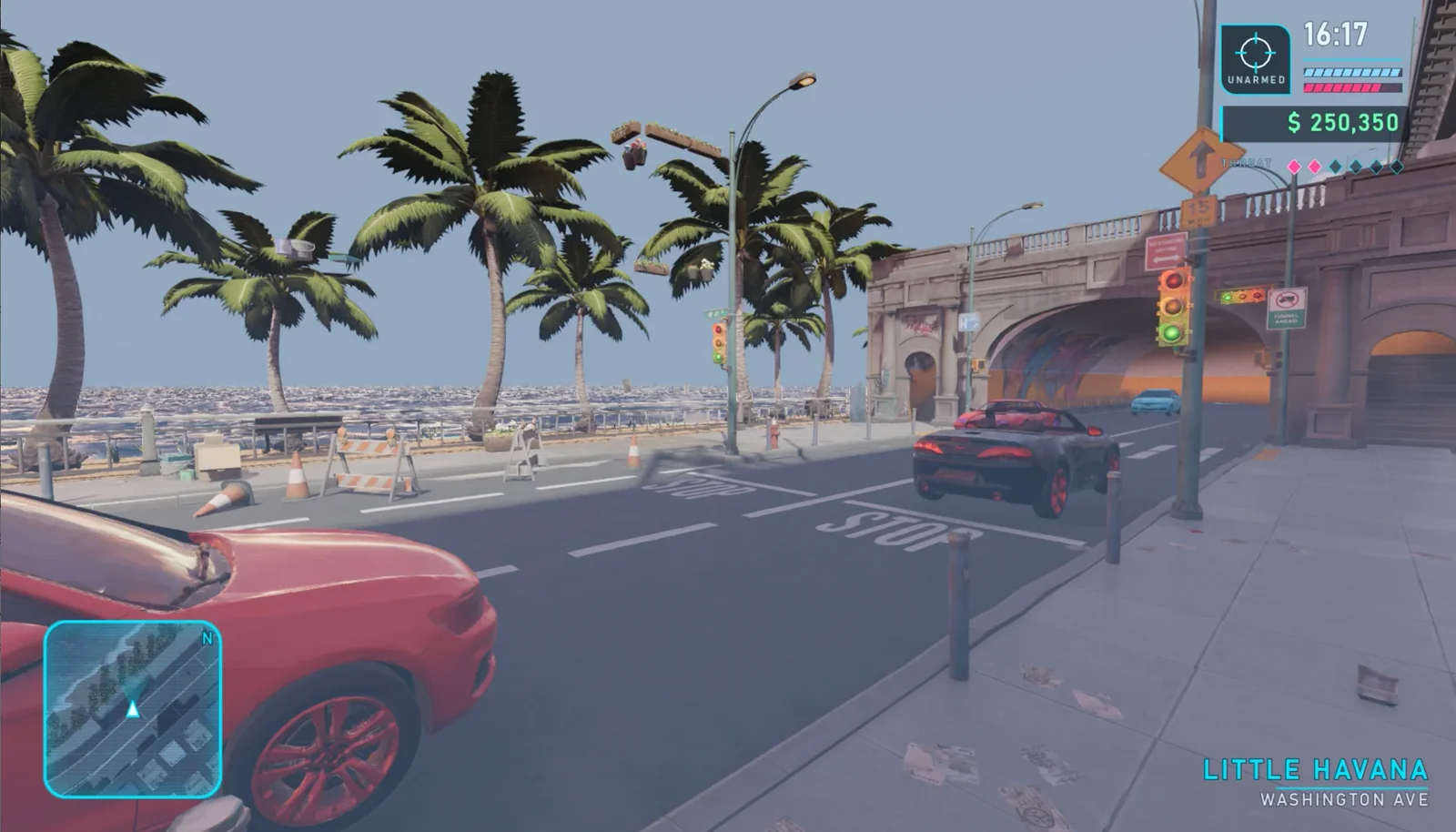
car_sedan, car_sports, car_convertible을 추가합니다. 스케일, 방향, 차선, 충돌, 헤드라이트, 양방향 순환 교통을 통일합니다. 1단계의 낮/밤 시스템 위에서 두 환경을 다듬고, 전환 키는 그대로 T를 씁니다. 낮 버전은 도로와 건물의 디테일을 살리고, 밤 버전은 네온, 안개, 헤드라이트, 노면 반사를 강조해야 합니다.
Complete the city in the neon_coast scene without connecting the character yet. Use CityStreetStylizedPack as the base environment. Add the waterfront and water surface, place palm_tree, street_lamp, hotel_facade, and motel_sign, and add signs for HOTEL DIXON, OCEAN DRIVE, JUICE CAFE, Vice Beach, BAR, and BURGER. Use car_sedan, car_sports, and car_convertible to create two-way looping traffic. Correct the vehicle scale, orientation, lane placement, collision, and headlights. Refine the existing T-controlled day/night environments: preserve road and building detail during the day, and emphasize neon, fog, headlights, and road reflections at night. Run the scene and check each part before connecting the character.
08 / 개요
4단계: 캐릭터, 카메라, HUD 추가
도시와 교통 단계의 검수를 통과한 뒤에야 hero_male을 캡슐 충돌체가 있는 CharacterBody3D로 추가합니다. 2단계에서 생성한 idle, walk, run, sprint, jump_start, jump, jump_land 애니메이션을 연결한 다음 발이 지면에 닿는 위치를 보정합니다.
1단계의 카메라를 캐릭터를 따라가는 카메라로 바꿉니다. 3인칭에는 SpringArm3D를 쓰고, 플레이어가 V를 눌러 1인칭과 3인칭 시점을 전환할 수 있게 합니다. 캐릭터가 차량에 다가가면 F를 눌러 차량에 타고 운전할 수 있어야 합니다. 마지막으로 원형 미니맵과 시간, 체력과 방어구, 돈, 수배 레벨을 표시하는 HUD를 추가하고, 낮과 밤 모드 모두에서 가독성을 확인합니다.
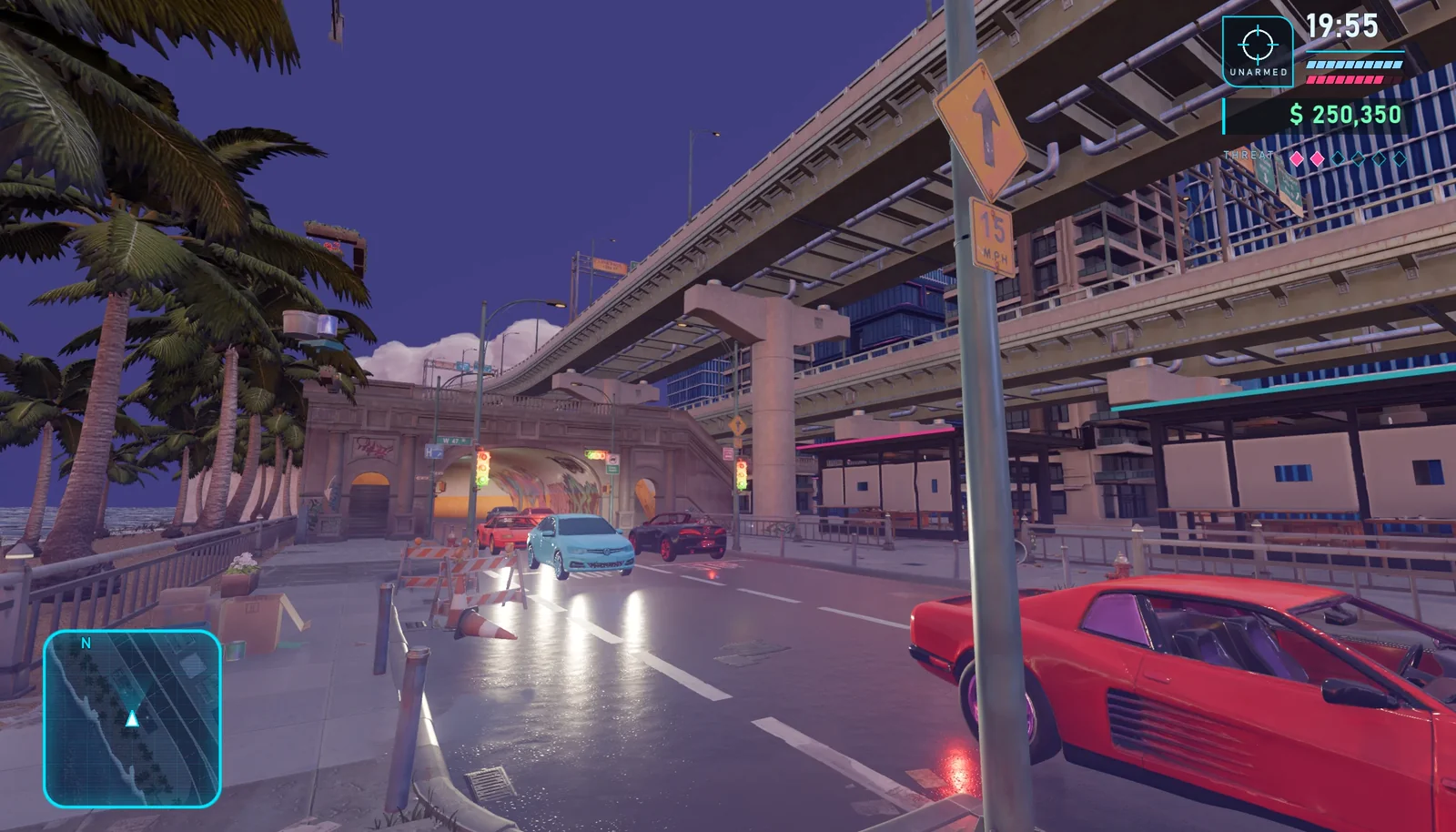
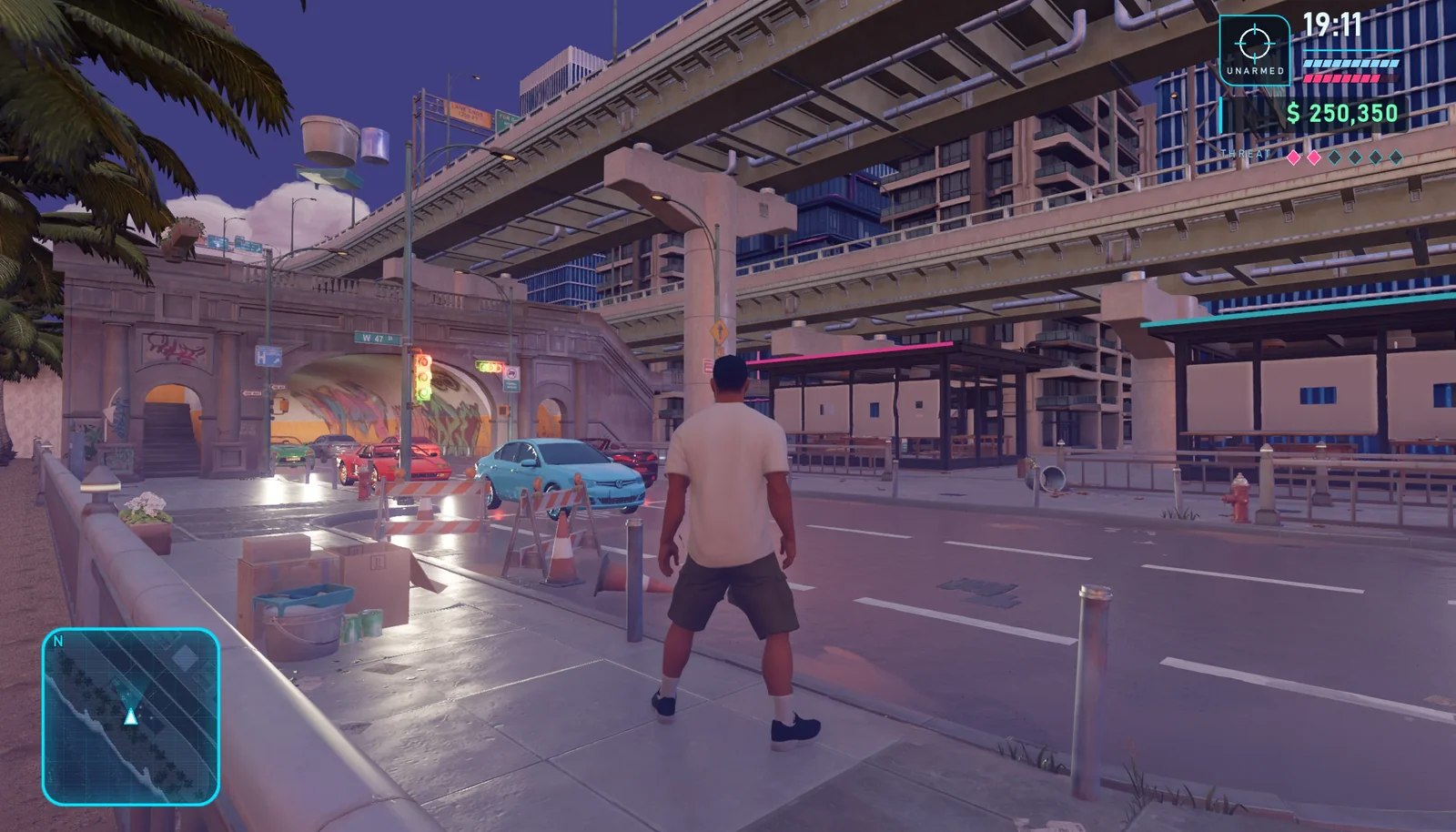
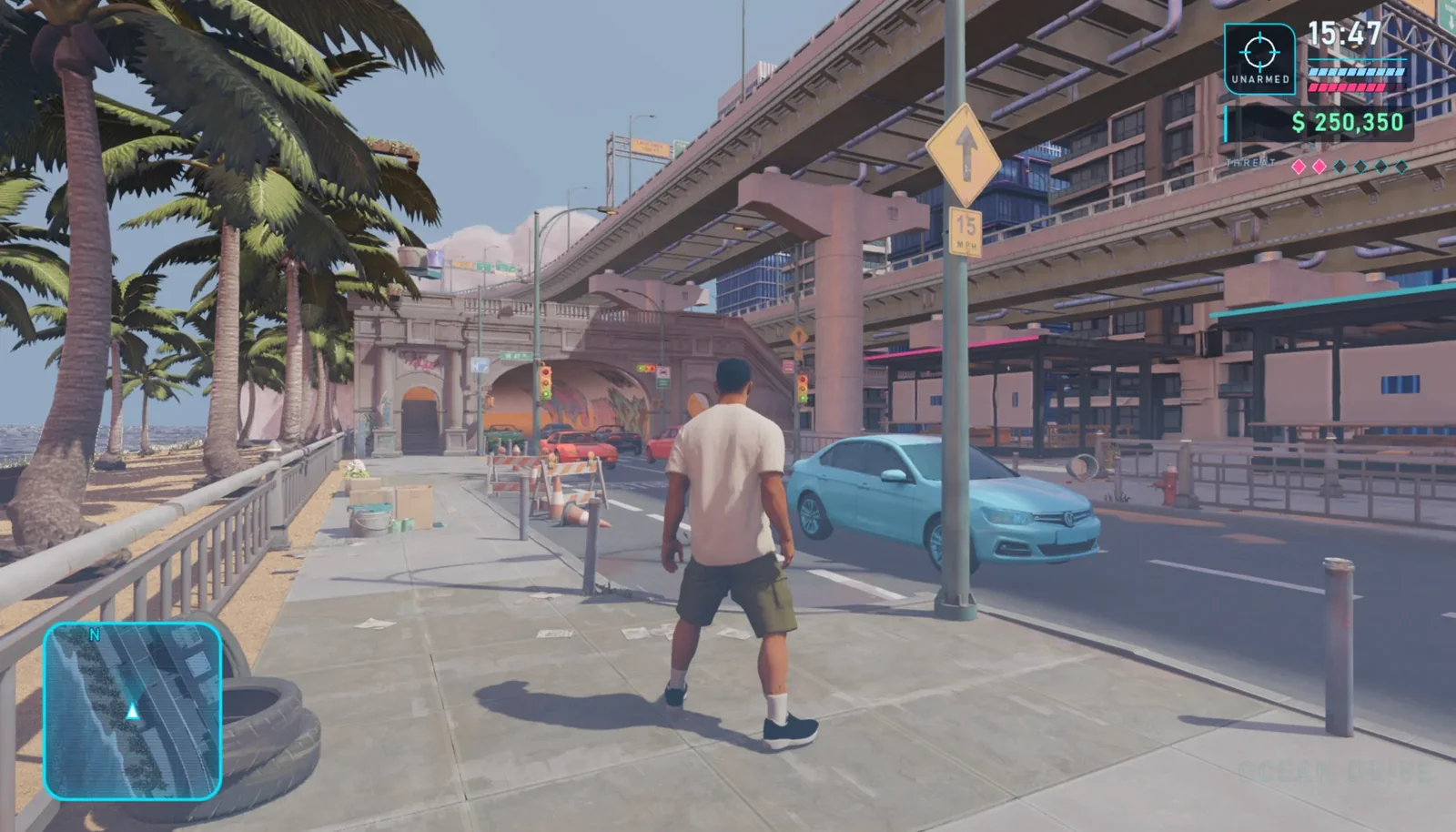
The city, roads, vehicles, and day/night environments are complete. Now connect res://assets/tripo/hero_male to the project. Add the character as a CharacterBody3D, calibrate the feet and capsule collision body, and connect the idle, walk, run, sprint, jump_start, jump, and jump_land animations. Use a third-person SpringArm3D that follows the character, and let V switch between first-person and third-person views. When the character is near a vehicle, pressing F should enter vehicle-driving mode. Add a circular minimap, a time display, health and armor bars, money, and a wanted-level HUD. Preserve the completed city, traffic, and day/night logic; do not rebuild the scene.
09 / 개요
5단계: 낮/밤 최종 검수
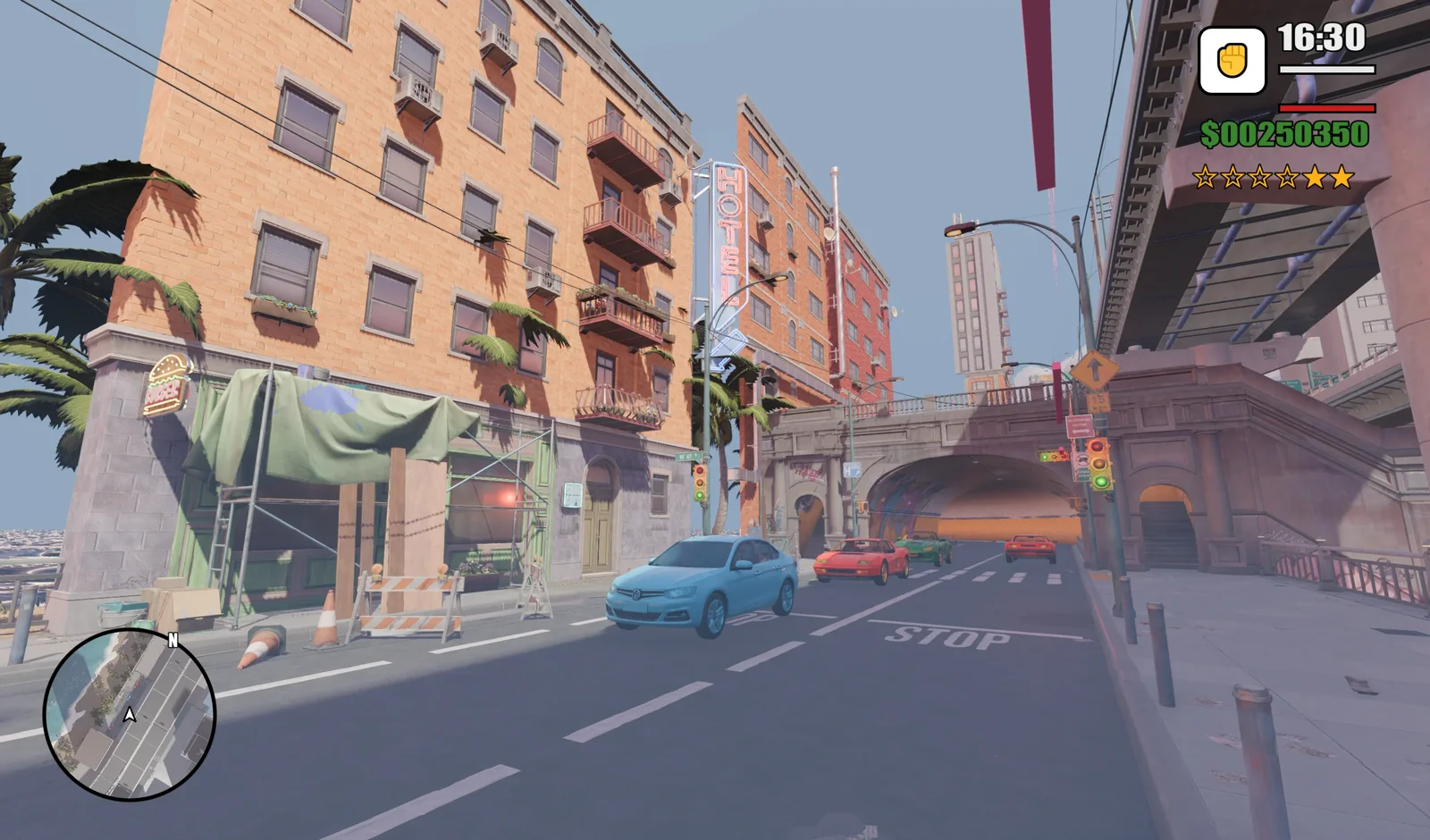
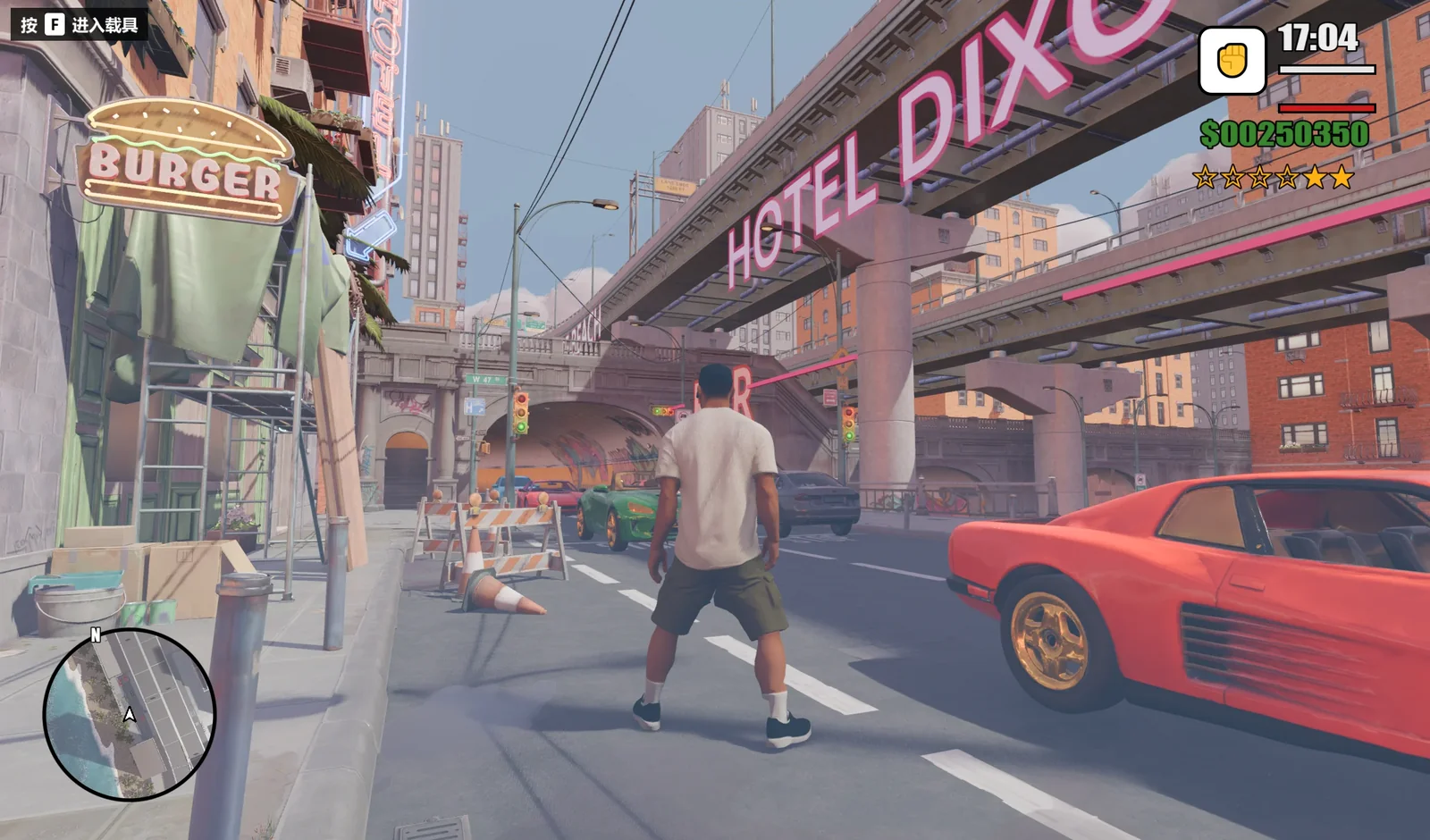
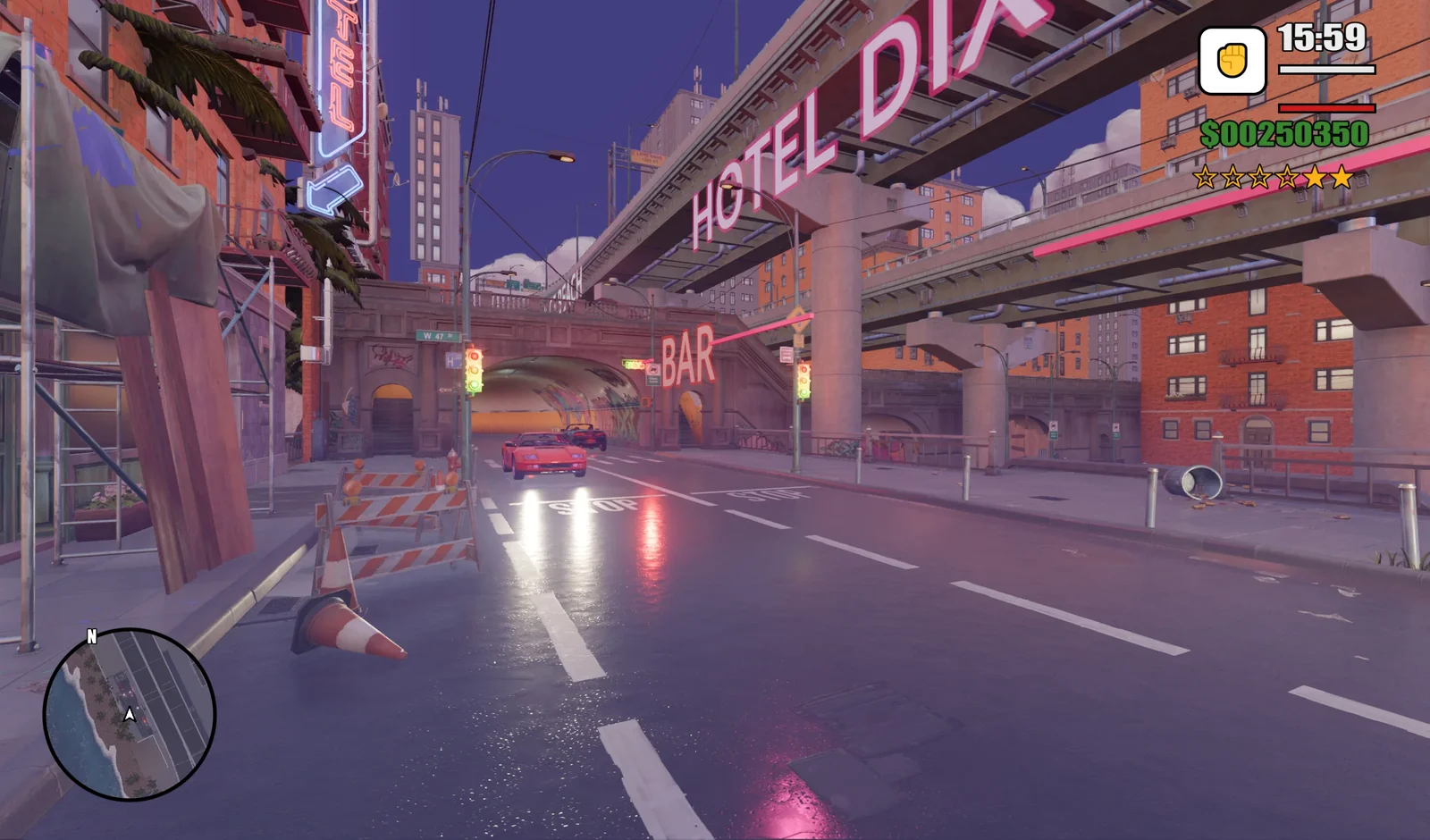
res://scenes/neon_coast.tscn을 실행하고 캐릭터 이동, 점프, 카메라 전환, 차량 교통, F로 차량 탑승, 충돌, 낮/밤 효과를 테스트합니다. 최종 낮 화면과 밤 화면을 비교하고 캐릭터, 거리, HUD, 조명, 반사를 하나의 완성된 경험으로 점검합니다.
10 / 개요
최종 체크리스트
- 프로젝트가
res://scenes/neon_coast.tscn에서 열리고 실행됩니다. - 캐릭터가 움직이고 점프하며 애니메이션 7개 사이를 전환합니다.
V는 카메라 시점을,T는 환경을 전환합니다.- 차량이 양방향으로 순환 주행하고
F로 탈 수 있습니다. - 가져온 GLB의 충돌, 스케일, 방향, 조명, 머티리얼이 올바릅니다.
- 미니맵과 HUD가 낮과 밤 장면 모두에서 잘 읽힙니다.
이 워크플로에서는 Claude가 프로젝트 구조와 게임플레이 반복 작업을 맡고 Tripo가 3D 콘텐츠를 제공합니다. 그 결과 검사하고 테스트하기 쉬우며, 차량, 미션, 캐릭터, 도시 구역을 더해 확장하기 쉬운 모듈식 프로토타입이 만들어집니다.