

01 / 概览
概述
本教程介绍将 Claude Opus 5.5、Godot 和 Tripo CLI 结合起来,制作可玩的 GTA 风格城市原型的实用流程。该流程将玩法原型开发与 3D 资产制作分开:Claude 构建并测试 Godot 项目,Tripo 则生成角色、车辆和环境资产,之后再将它们导入场景。
这种分工让迭代更快、更可靠。你可以先用基础几何体验证城市布局和核心交互,再逐个用可用于制作的 GLB 资产替换占位对象,无需重建整个项目。
02 / 概览
这个流程能制作什么
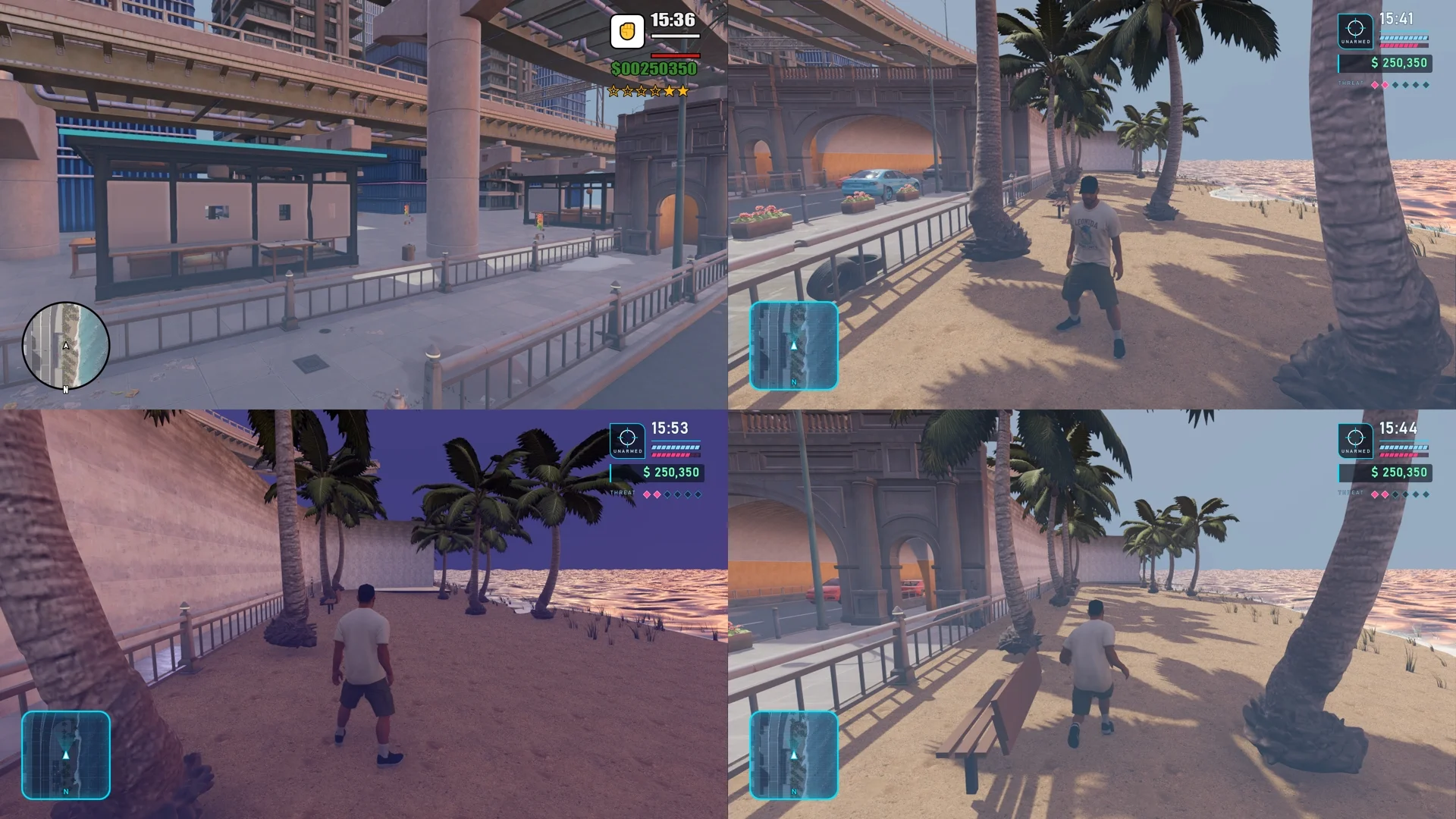
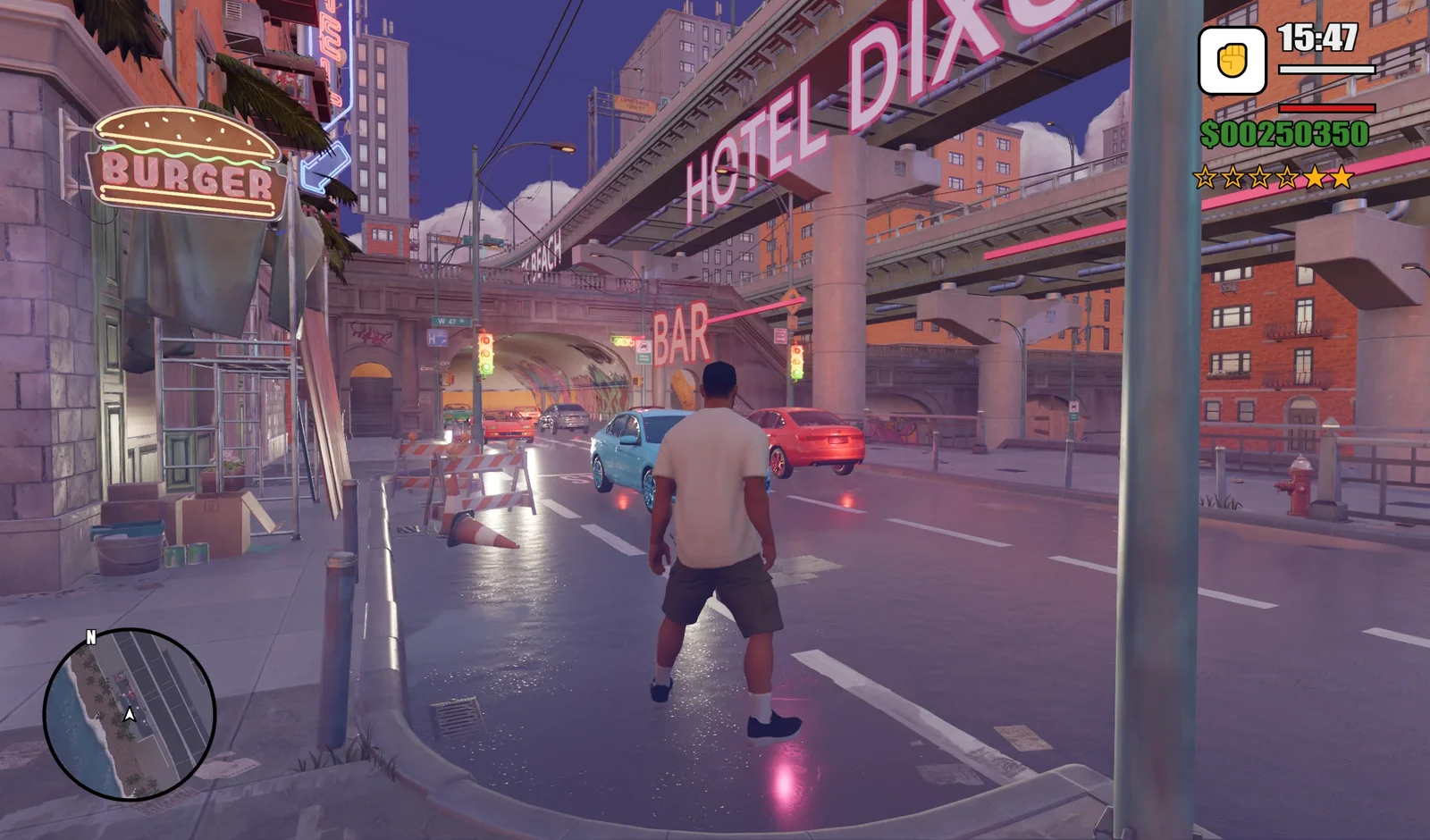
完成本教程后,你将获得一个 Godot 4 项目,可以运行具备以下功能的 GTA 风格海滨城市原型:
- 包含道路、隧道、高架结构和滨水区域的城市街道。车辆双向循环行驶,玩家可以按
F进入并驾驶车辆。 - 使用 Tripo 从参考图生成、完成骨骼绑定并配有七个动画的可操控角色。
- 按
V切换第三人称与第一人称视角,按T切换昼夜环境。 - 圆形小地图,以及显示时间、生命值、护甲、金钱和通缉等级的 HUD。
03 / 概览
为什么结合使用 Tripo 和 Claude Opus 5.5?
这两种工具承担互补的职责。Claude Opus 5.5 通过 Godot MCP 连接 Godot,创建场景和 GDScript,运行项目并检查结果,负责将游戏构想变成可运行的原型。Tripo 负责资产制作:角色、车辆和道具都可以通过 Tripo CLI 生成为 GLB 文件,角色还可以在同一流程中完成骨骼绑定和动画制作。
先使用基础几何体,尽早测试城市布局和玩法。原型运行正常后,在相同资源路径下用 Tripo 资产替换占位对象。如果某个资产生成任务失败,可以单独重试,而不影响场景的其他部分。
04 / 概览
开始之前
- 安装生成工具:运行
npm install -g tripo-cli安装 Tripo CLI。本教程使用 CLI 批量生成资产。 - 完成 Tripo 认证:运行
tripo login,在浏览器中完成授权。使用tripo whoami和tripo balance核实账户及可用积分。不要将 API 密钥粘贴到聊天或项目文件中。 - 准备 Godot 项目:安装 Godot 4,准备一张角色参考图,并确保 Claude 可以访问项目目录。
- 连接 Godot MCP:Godot MCP 让 Claude 连接 Godot 编辑器,创建节点、编辑场景并运行项目。安装 Node.js 18 或更高版本后,在 Claude Code 中运行
claude mcp add godot -- npx @coding-solo/godot-mcp。使用其他 MCP 客户端时,将npx @coding-solo/godot-mcp添加到其配置中。在要求 Claude 修改场景前,确认 MCP 已连接 Godot。
05 / 概览
第 1 步:使用 Claude 构建游戏原型
首先让 Claude Opus 5.5 仅使用 Godot 节点、基础几何体、材质、灯光、相机和脚本,构建可运行的 GTA 风格海滨城市原型。此阶段重点是城市灰盒、道路、建筑、隧道、高架道路、滨水区域、占位车辆、昼夜切换和第一、第三人称相机控制。目标是在引入最终 3D 资产前验证构图与交互。
Inspect the current Godot project and build a runnable GTA-style coastal city prototype. Use only native Godot nodes and primitive geometry such as BoxMesh, PlaneMesh, and CylinderMesh, together with road meshes, collision bodies, materials, lights, cameras, and GDScript. Create walkable roads, buildings, elevated roads, tunnels, a waterfront and water surface, placeholder palm trees and street lamps, and simple placeholder vehicles. First complete an explorable city blockout with basic collision, a day/night toggle, and first-person/third-person camera switching. Run the project and verify that the overall scene and interactions match the reference image. Create all nodes, scripts, and scenes inside the Godot project. Save the scene as res://scenes/neon_coast.tscn and keep the structure ready for Tripo-generated GLB assets to replace nodes or resources at matching names and paths. Do not rebuild unrelated systems and do not generate or import final 3D models at this stage.
继续之前先运行场景。确认玩家能够在城市中移动,碰撞表现正确,相机和昼夜控制正常,为资产与环境完善阶段建立稳定的玩法基础。
06 / 概览
第 2 步:使用 Tripo CLI 生成并导入 3D 资产
向 Claude 提供角色参考图和资产清单,让它批量提交 Tripo CLI 任务、等待完成并检查每个结果。角色使用图生 3D,然后处理材质、骨骼绑定和动画。车辆和道具作为独立资产生成。不要试图用一张城市截图生成整座城市;独立资产更容易测试、替换和重试。
- 角色:
hero_male。 - 车辆:
car_sedan、car_sports和car_convertible。 - 道具:
hotel_facade、motel_sign、palm_tree和street_lamp。
Use Tripo CLI to prepare the assets for this Godot project. Generate hero_male from the provided character reference image, then complete its materials, rig, and these seven animations: idle, walk, run, sprint, jump_start, jump, and jump_land. Generate car_sedan, car_sports, car_convertible, hotel_facade, motel_sign, palm_tree, and street_lamp as separate assets. Save the task status, final model, and failure information for every item. Confirm that each final GLB exists, then organize the assets under matching directories in res://assets/tripo/. If a task fails, retry only that task instead of repeating the entire batch.
角色模型及其动画应由 Tripo 生成,并一起存放在 hero_male 目录中。
验收检查:检查每个任务的 CLI 状态和最终 GLB。在 Godot 中预览角色、轿车和棕榈树,检查纹理、比例和朝向,再逐个播放 hero_male 的全部七个动画。
07 / 概览
第 3 步:完善城市、交通和昼夜效果
此阶段先不要接入角色。以 CityStreetStylizedPack 环境为基础,完善海滩和水面,放置 palm_tree、street_lamp、hotel_facade 和 motel_sign,添加 HOTEL DIXON、OCEAN DRIVE、JUICE CAFE、Vice Beach、BAR 和 BURGER 等招牌。
添加 car_sedan、car_sports 和 car_convertible,统一比例、朝向、车道、碰撞、车灯及双向循环交通。在第 1 步的昼夜系统上完善两套环境,保留 T 作为切换键。白天应保留道路和建筑细节;夜晚则突出霓虹灯、雾、车灯和路面反射。
Complete the city in the neon_coast scene without connecting the character yet. Use CityStreetStylizedPack as the base environment. Add the waterfront and water surface, place palm_tree, street_lamp, hotel_facade, and motel_sign, and add signs for HOTEL DIXON, OCEAN DRIVE, JUICE CAFE, Vice Beach, BAR, and BURGER. Use car_sedan, car_sports, and car_convertible to create two-way looping traffic. Correct the vehicle scale, orientation, lane placement, collision, and headlights. Refine the existing T-controlled day/night environments: preserve road and building detail during the day, and emphasize neon, fog, headlights, and road reflections at night. Run the scene and check each part before connecting the character.
08 / 概览
第 4 步:添加角色、相机和 HUD
城市和交通通过验收后,再将 hero_male 作为带胶囊碰撞体的 CharacterBody3D 加入场景。接入第 2 步生成的 idle、walk、run、sprint、jump_start、jump 和 jump_land 动画,然后校准脚部与地面的接触。
将第 1 步的相机改为跟随角色的相机。使用第三人称 SpringArm3D,让玩家按 V 在第一、第三人称之间切换。角色靠近车辆时,按 F 应能进入车辆并驾驶。最后添加圆形小地图,以及时间、生命值、护甲、金钱和通缉等级 HUD,并检查昼夜两种模式下的可读性。
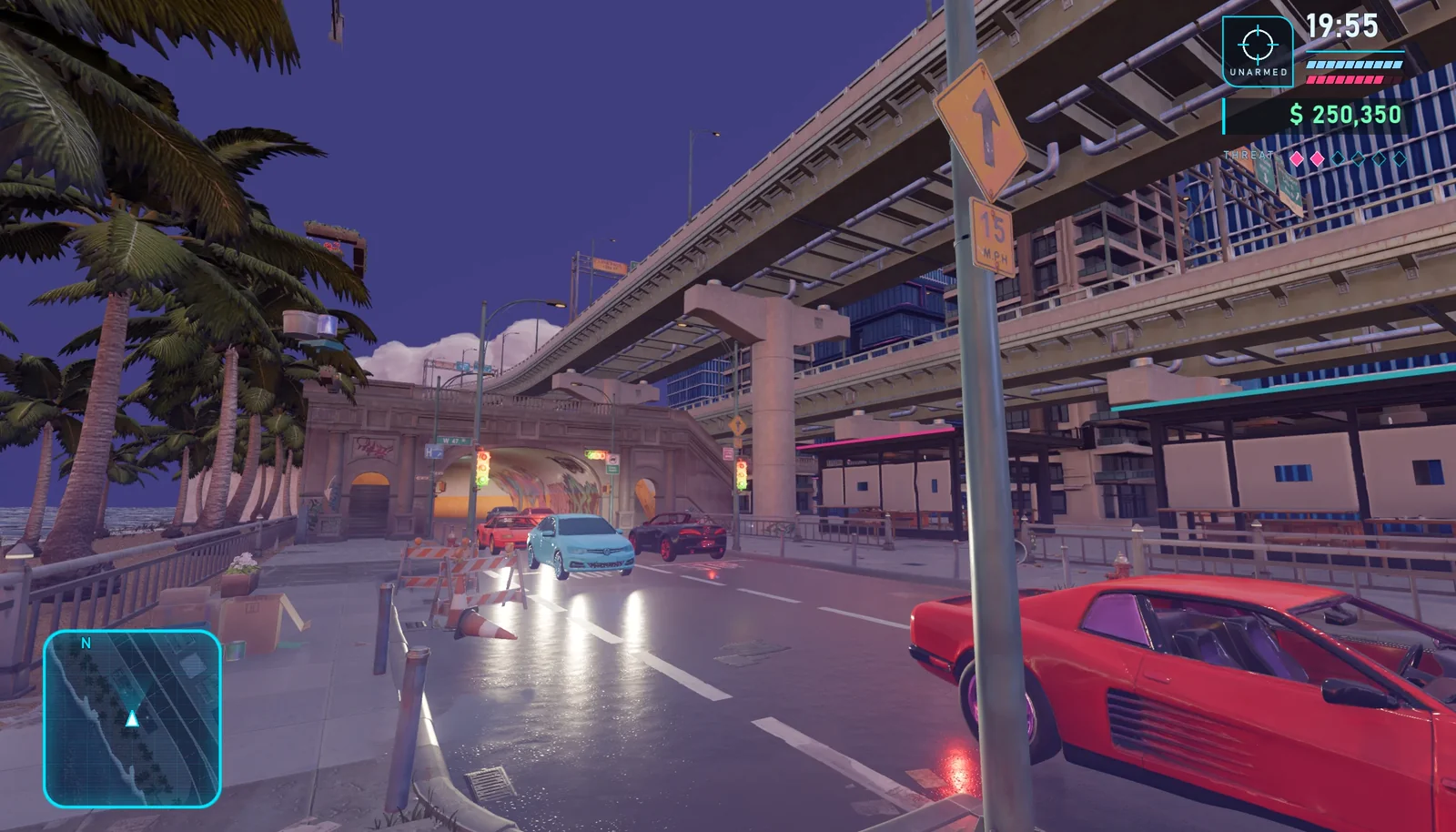
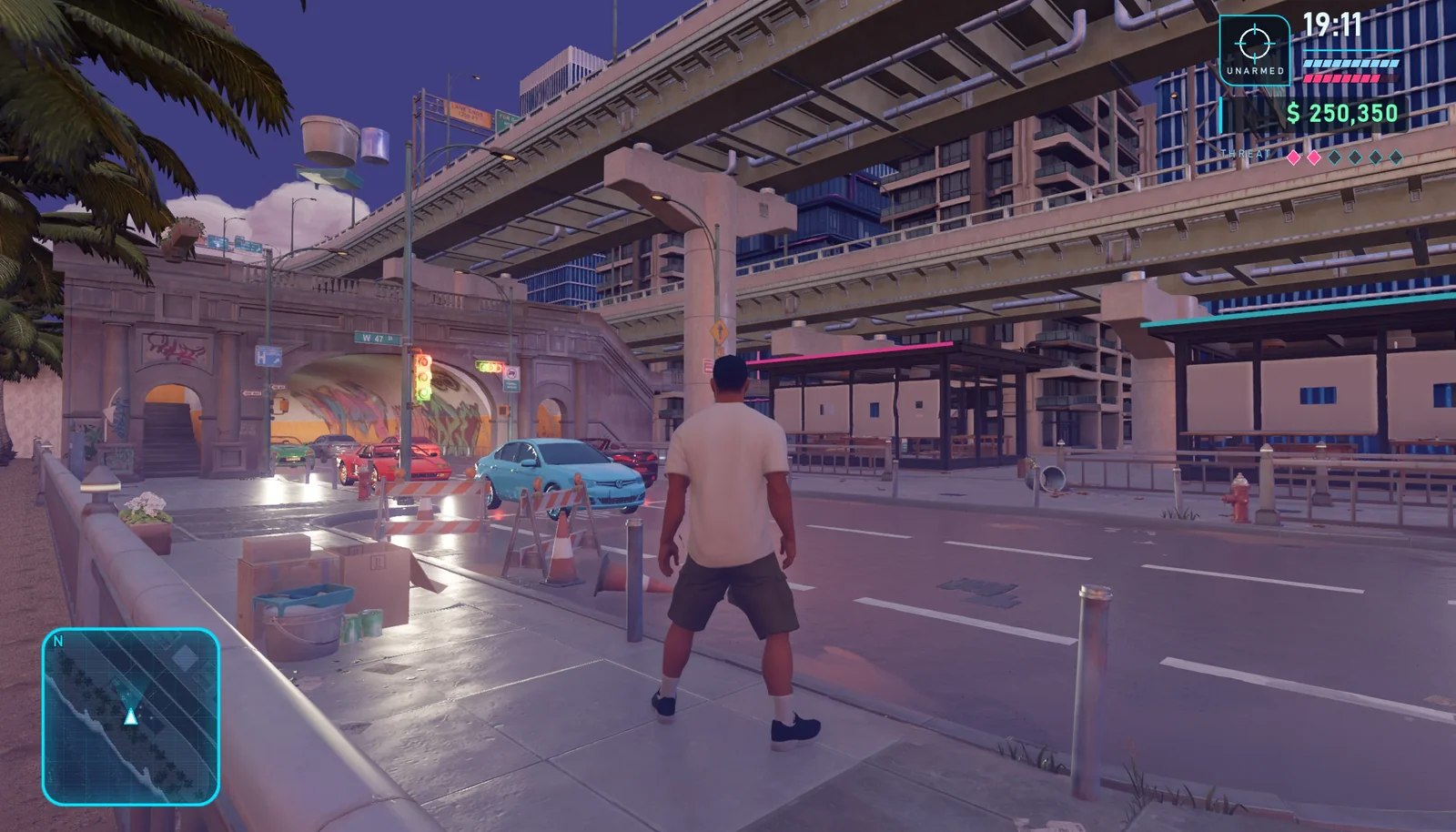
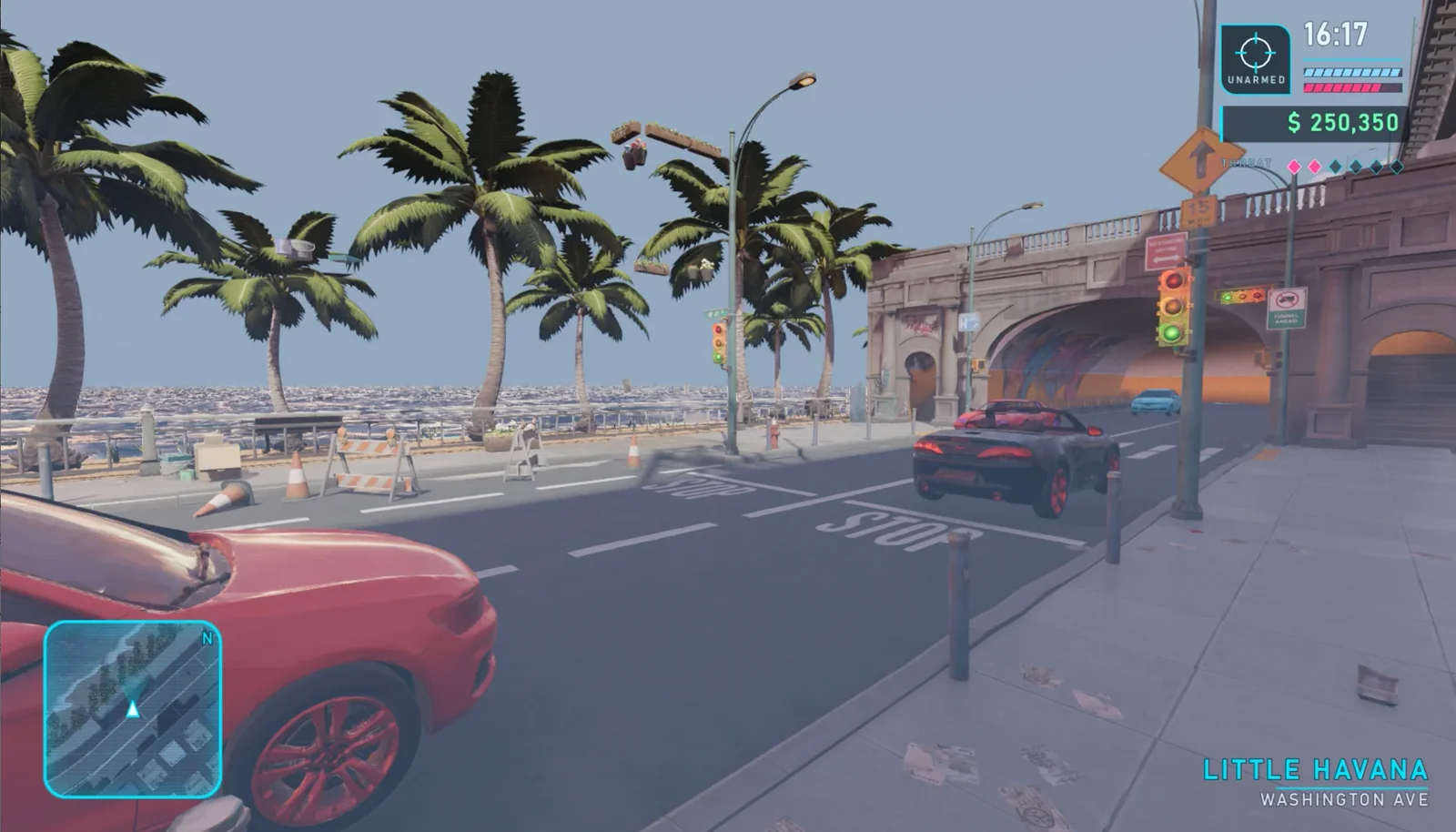
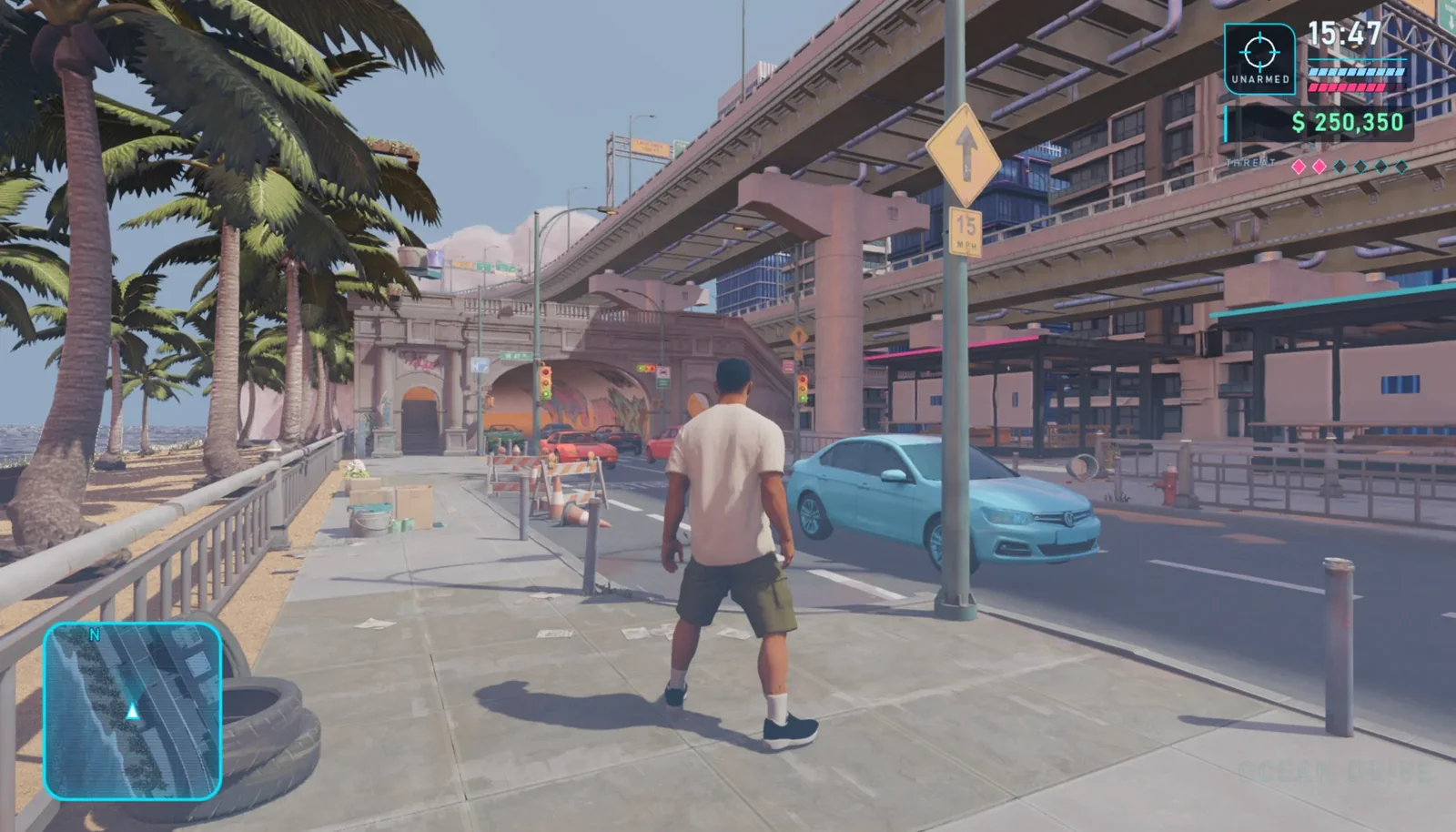
The city, roads, vehicles, and day/night environments are complete. Now connect res://assets/tripo/hero_male to the project. Add the character as a CharacterBody3D, calibrate the feet and capsule collision body, and connect the idle, walk, run, sprint, jump_start, jump, and jump_land animations. Use a third-person SpringArm3D that follows the character, and let V switch between first-person and third-person views. When the character is near a vehicle, pressing F should enter vehicle-driving mode. Add a circular minimap, a time display, health and armor bars, money, and a wanted-level HUD. Preserve the completed city, traffic, and day/night logic; do not rebuild the scene.
09 / 概览
第 5 步:执行最终昼夜验收
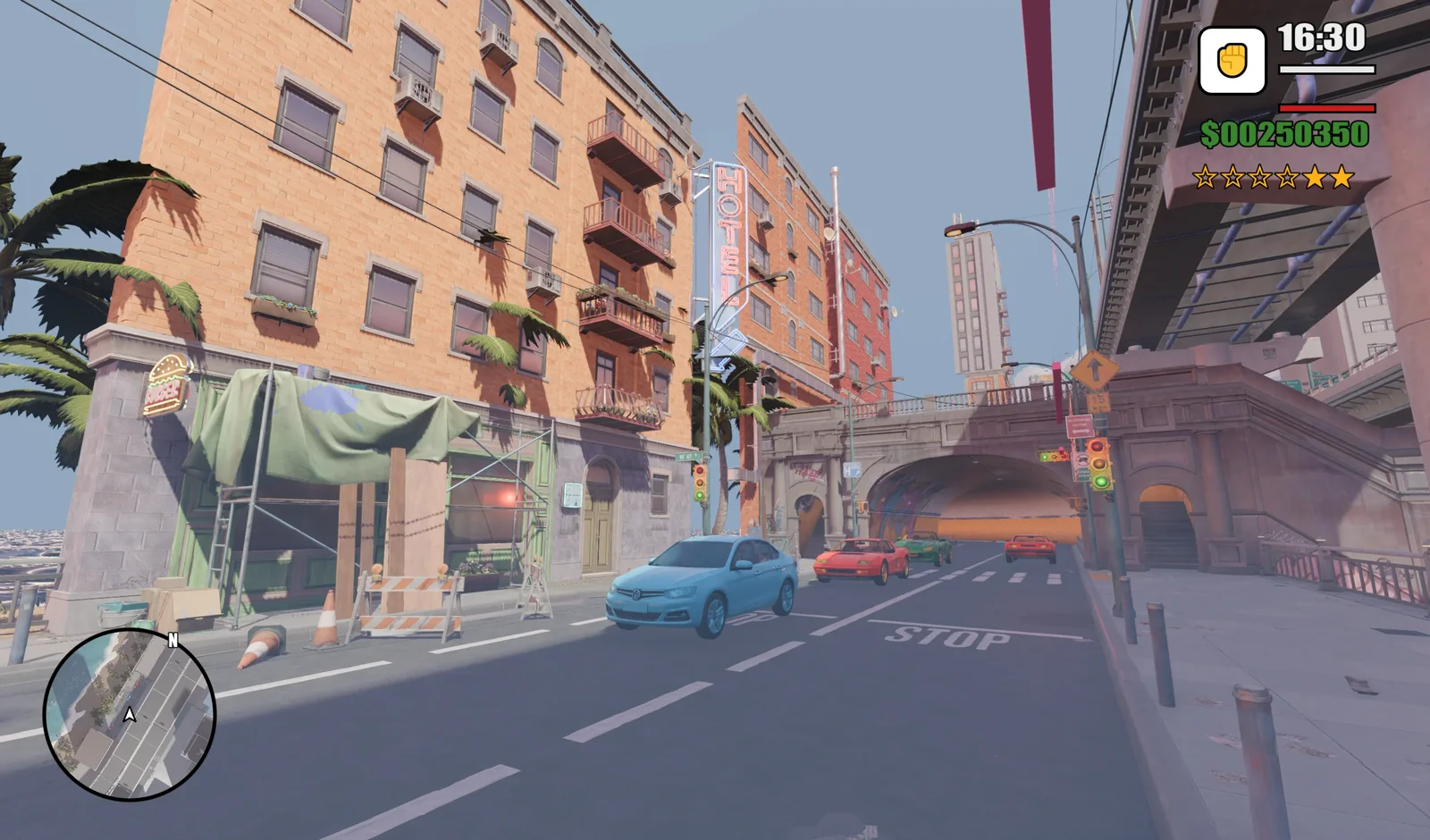
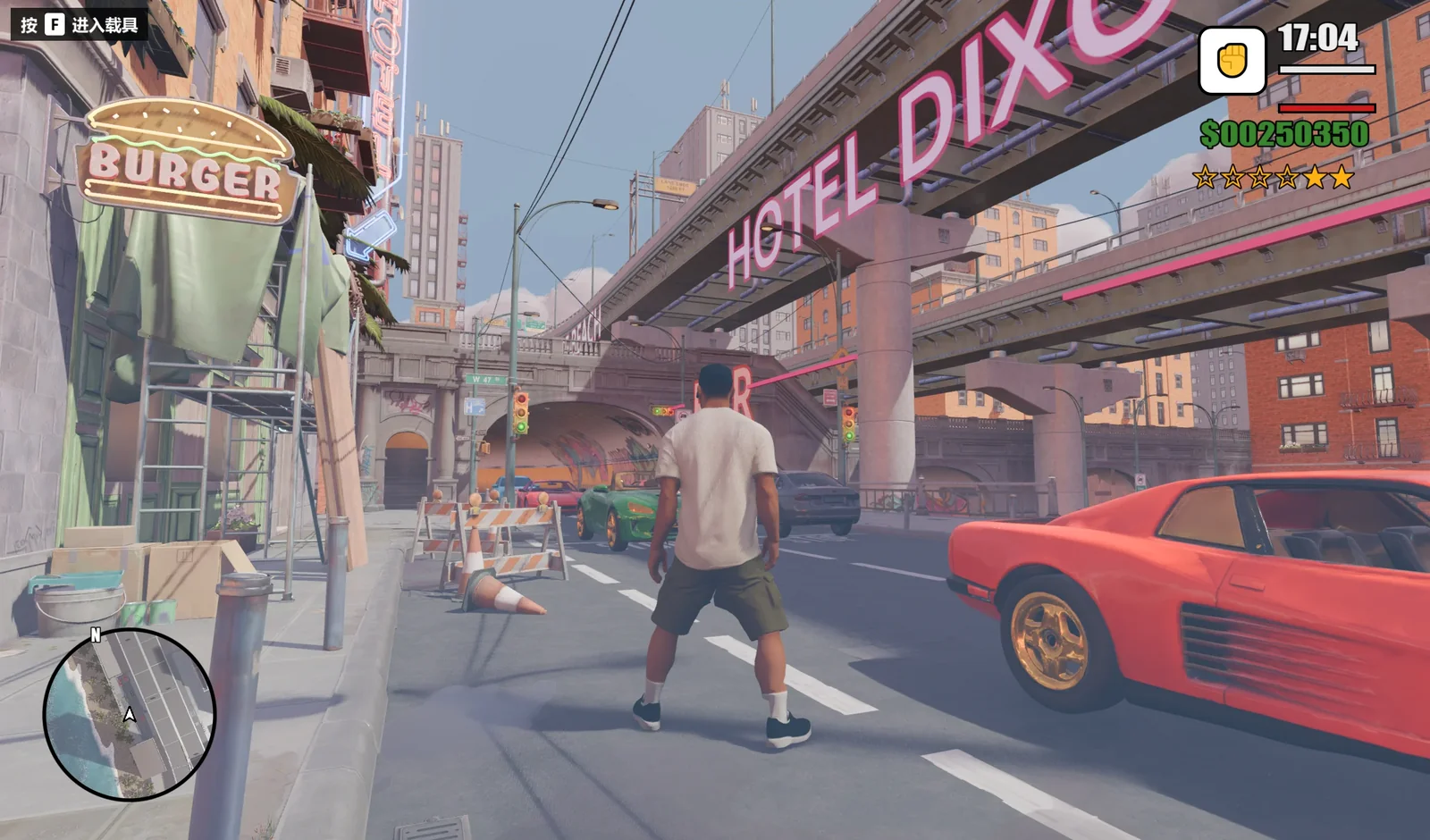
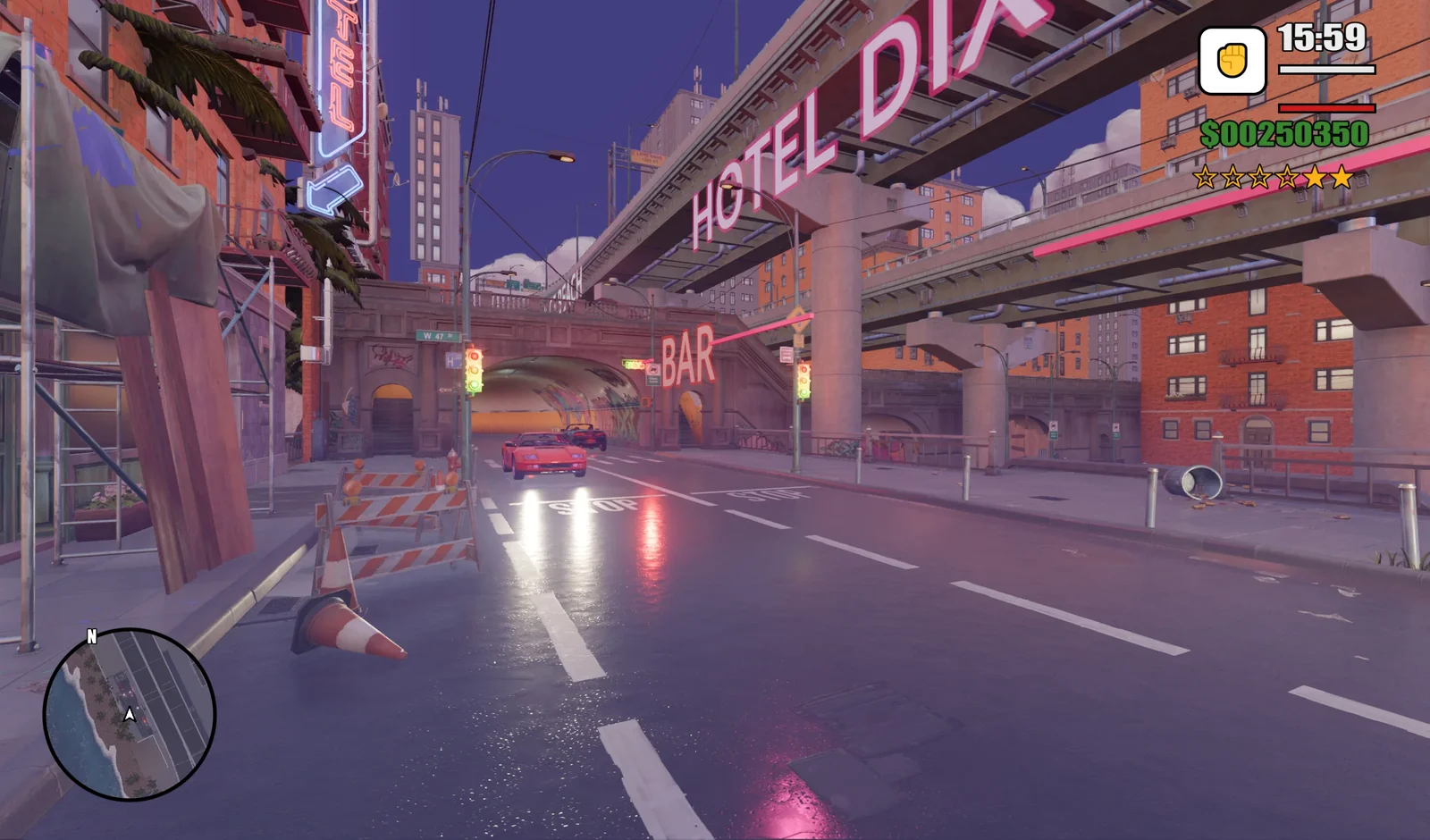
运行 res://scenes/neon_coast.tscn,测试角色移动、跳跃、相机切换、车辆交通、按 F 上车、碰撞和昼夜效果。对比最终的白天与夜晚视图,整体检查角色、街道、HUD、灯光和反射。
10 / 概览
最终检查清单
- 项目能从
res://scenes/neon_coast.tscn打开并运行。 - 角色能移动、跳跃,并在全部七个动画之间切换。
V切换相机视角,T切换环境。- 车辆双向循环行驶,玩家可按
F上车。 - 导入 GLB 的碰撞、比例、朝向、灯光和材质正确。
- 昼夜场景中的小地图和 HUD 均清晰可读。
通过这个流程,Claude 可以负责项目结构和玩法迭代,Tripo 则提供 3D 内容。最终得到一个模块化原型,便于检查、测试,并扩展更多车辆、任务、角色和城市街区。