 Try it live
Description
A sofa can look perfect everywhere except your living room: it fits the space but feels out of place. And moving everything around just to test an idea is a lot of work. Diorama lets you try it before you commit.
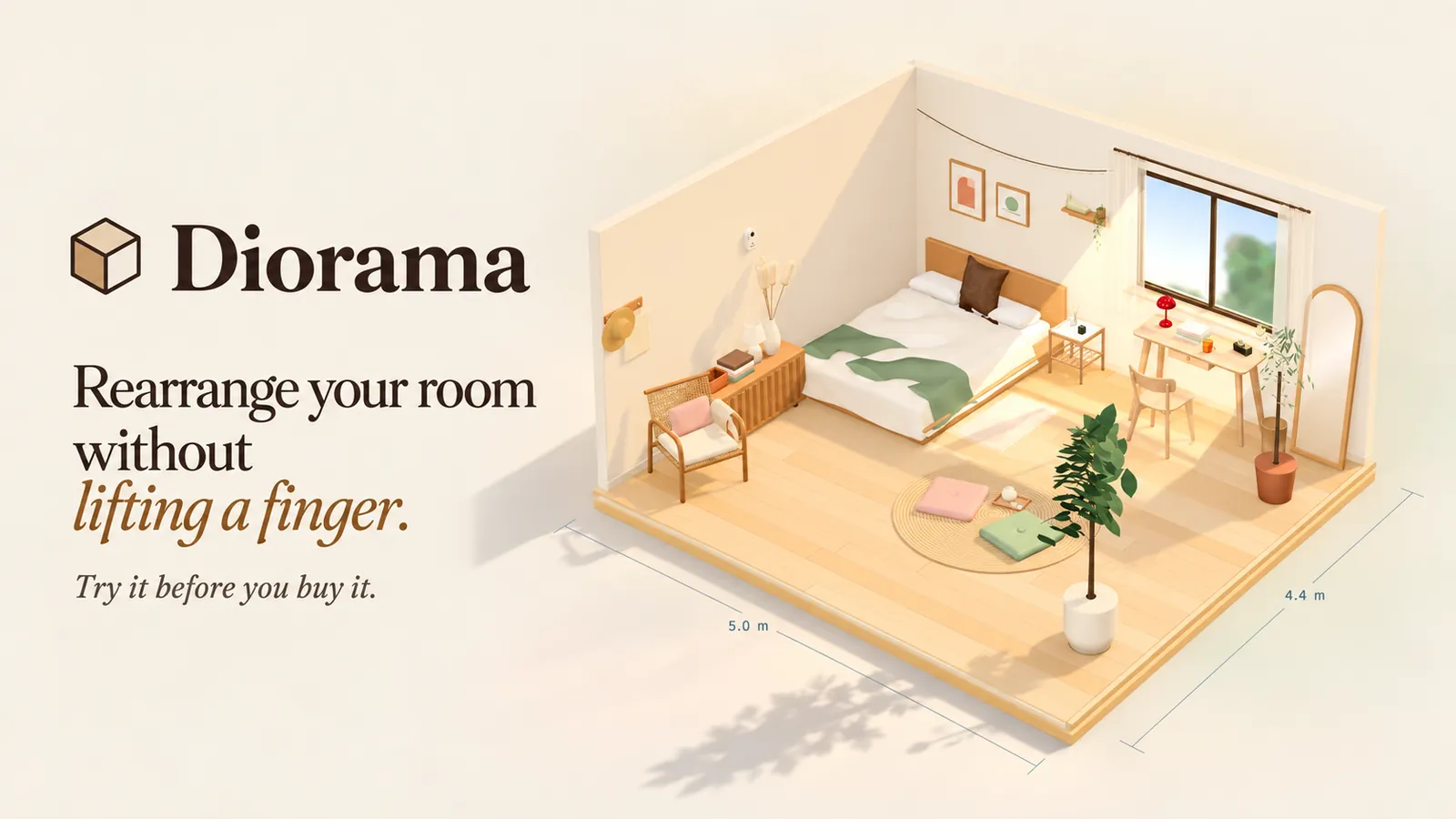
Upload a photo of your room, and World Labs' Marble turns it into a 3D space you can walk into and furnish. Select a piece you already own, add a photo of it, and Tripo replaces it with a 3D model you can move and rotate. Try the bed against another wall or move the desk closer to the light, until the layout feels right.
Then try what you don't own yet. A library of real furniture and homeware comes with dimensions, reference prices and shop links, and you can search it with requests like "a lamp under $50" or "a desk no wider than one meter." A lamp sits on your desk, a pendant hangs from the ceiling, and when you move the desk, the things on it come along. Found something elsewhere? Upload a photo, enter its dimensions, and turn it into a 3D model to try in your room. You can try another arrangement, undo a change and save your layout for later.
The bedroom in the demo is the author's own. The author kept rearranging it in their head while the heavy bed stayed exactly where it was, and built Diorama to try those ideas without turning the room upside down or spending money on something they might regret. Its Chinese name, Fāngcùn, means "a square inch"; in classical Chinese it also means the heart. A home can be small, but it should still feel like yours.
Diorama is a gift for anyone making a home on their own: students living away from home, young people renting after their first job, people who want a change after years in the same room, and anyone who can't decide before a renovation.
How Tripo was used
World Labs' Marble builds the room; Tripo handles the furniture, using image-to-3D to turn furniture photos into 3D models you can move and rotate.
- Furniture you own: select a piece in the room, add a photo of it, and the generated model takes its place so you can rearrange it.
- Finds from elsewhere: upload a photo and enter the dimensions to get a 3D model you can try in your room.