Into the Qingming Scroll
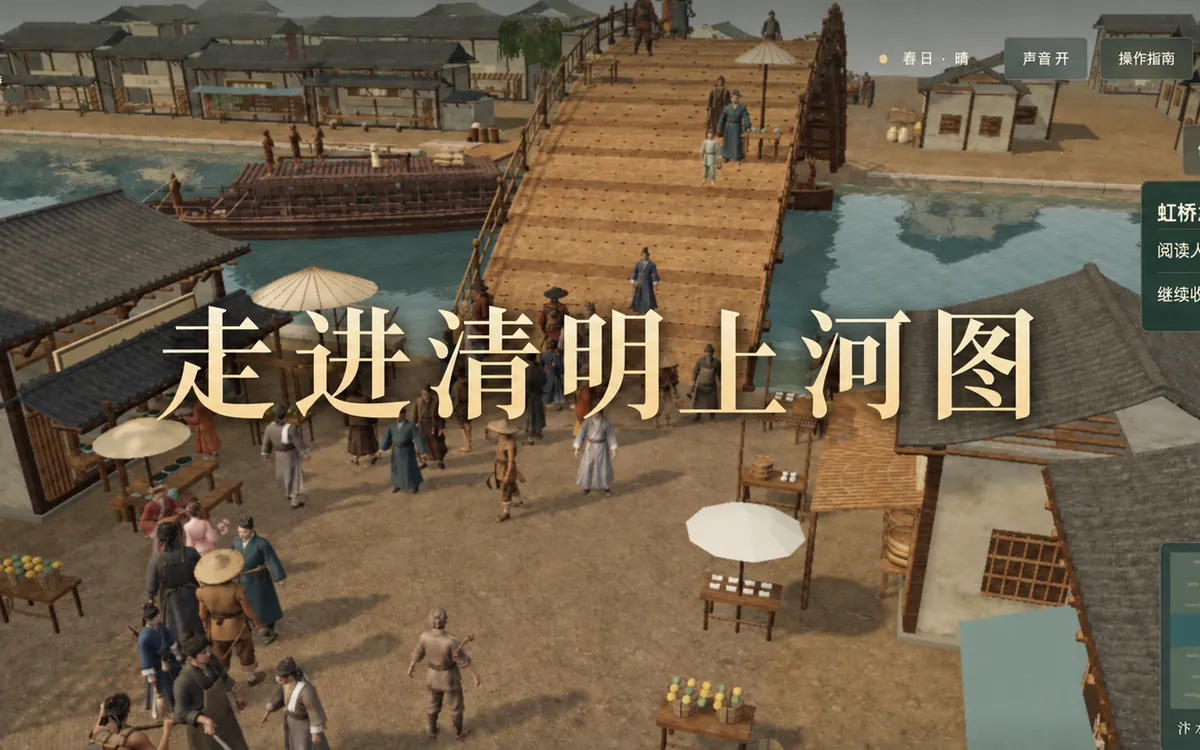
Working in Codex, the author called Tripo MCP to batch-generate 45 Northern Song characters, then rigged and animated them automatically.
View details @@@@@%%%##**++=====----------------===========-:
#@@@@@%%##**+====--:--:-:-:::::----------==========-:
#@@@@@%%#**+++==----::::.:......::::::::------========---:
*********+++++++= %@@@@%%#**+===----::....................::::-------======--:.
####***++++++++======++++++++%@@@@%##*+++=---::.........................:::::-----======---:.
%%##**+++=====-------------====#%@@%%##**+===-::...............................:::-----======---::
%%%%#**++===---::::::::::::::::::-#%%%%%#**++==--::..................................:::-----======--::.
@%%%##*++==--:::.............::::::*%%%%##**++==-::........... ............::----=======--::.
@@%%##*++==-::.......................#%%##***++=--::.........=. ........::::---=======---:.
@@@@%##*+==-::........................#####***+==--::........#**+=- ......:::---========--::.
@@@@%%#*+==-::........................*###***+++=--::.......##%###**+-. .....::---=========--::.
#@@@@%%%#*+=--:.........................*#****++==--:........#%%%%%%%##*=-: ....::---=========--::.
@@@@@%%%#*+=-::.................. .******++==-::........*##%%@@@@%%##*=- ...:---==========--:..
%@@@@@@%%#*+=--:.......... ***++++=--:::.......++*#%%@@@@@@%%#*+=: ..::--===+++====--::.
+%@@@@@@%%##*+=-:...... +**+++==--:::........=+**#%@@@@@@%%#*++=-. .::--==++++++===-::..
*%@@@@@@@%%#**+=-:.... ++++++==---:..........:-=+*#%%%%%%#####%%%####**+= .:--=++++++++==--:..
*#%@@@@@@@%%##*+==-:. +++++==--::.......... .:-=+**######%%%@@@@@@@@%%%##*+= :-==++++*++++==-::..
+#%%@@@@@@@%%%##*++=-:. *+++===--:::......... .:=++****##%%%%@@@@@@@@@@%%%#*+=- .-==++***++++==-::..
=*#%%@@@@@@@%%%###**==-: **++===--:::......... :--=++***###%%%@@@@@@@@@@%%##*+=: -==+******++==--:..
=*##%%%@@@@@%%%%%##**++=-: #**++==--:::.......... .---==+++**###%%@@@@@@@@@@%%#*+=-: :=+*******++==--:..
-++*##%%%%%%%%%%%%###***++=--: #%##*+==--:::.......... .--===+++=+***#%%@@@@@@@@@@%#*++-:. :=+*####***++=--:..
-=++*###%%%%%%%%%%%#####**+++===-.#*++=--:::.......... .:::----==+=***#%%@@@@@@@@%%#*+=-:. -+*######**++=--:..
-=++*#*######%%%%########****++++===---:::.......... .....:::--==++*#%%@@@@@@@%%##*+=-:.=*###%###**++=-::..
:-=+****#**#############*******++++++=====---:.... ........:-=++*#%%@@@@@@%%%#**+-::.*#%%%%##**+==-:...
.--==++************************+++++++======------: .......:-++*#%%@@@@@@%%#**+=-:..%%%%%##*++=-::...
.:--==++++*+****+***+*++*++++++++++=======------:::::: .:-=+##%@@@@@@%%%#*+=-::.%%%%%#*++==-::...
.::--====++++++++++++++++=+==========-------::::::::... :=+*#%@@@@@@%%##*+==-:..@%%##*++=-::...
..:::----===================----------::::::::::........ :=*#%%@@@@@%%#**+=-::..%%##*++=--:....
.....::::-----------=-----------::::::::::.............. =*#%@@@@@@%%##*+==-:..%%#**+=--::...
......:::::::::::-:::::::::::::::...:................... =*#%@@@@@@%%##++=-::..%#**+=--::....
..............:::::................................... +#%%@@@@@%%##*++=-:...#**==--::....
%@@..................................................... *#%@@@@@@%%##*++--:...*+==--:.....
#@@@@@%##...............................................:::-----=#%@@@@@@%%#**++=-::...==--::.....
%@@@@@%##*+=-:.........................................:::--==++*%%@@@@@%%%#**+==-:....=--:......
#%@@@@@%##*==-:..... ..............................::---==+*#%@@@@@@%%##*++==-:....-::.....
%@@@@@%%##+==-:..... ......................:::---==*%%@@@@@@%%##**+=--::....:......
*%@@@@@%%%#++=-:.... ...................::::---*%@@@@@@@%%#**++=--:...........
*%@@@@@@%%#*+=-:.... ................::::--#%@@@@@@%%%##*++==-::.........
*%@@@@@@%%##++=-:... ..............:::*%%@@@@@@%%%#**++==--:........
*#%@@@@@@%%#*+==-:.. ............+#%@@@@@@@%%##**++=--::......
+#%@@@@@@@%%##*+=-:.. .......+#%@@@@@@@%%%##**+==--::.....
=*#%@@@@@@@@%##*+=-:.. #%%@@@@@@@@%%%##*+===--::.....
+#%@@@@@@@@@%%##*+==::. -*#%@@@@@@@@@%%%##*++===--:......
=*#%@@@@@@@@@@%%###*+=--: *#%%@@@@@@@@@@%%##**++===--::......
+*#%%@@@@@@@@@@%%%%##**++==-- =+**#%%@@@@@@@@@@@%%%##**++====--:.......
-+*##%%@@@@@@@@@@@@@%%%%%###########%%%%@@@@@@@@@@@@@@%%###**+++===--::......
-=***%%%@@@@@@@@@@@@@@@@@@@@@@@@@@@@@@@@@@@@@@@@@%%%%##***+++===--::....... Tripo MCP & CLI
Install a plugin, sign in, and make 3D models right in the chat.
                     #####
               @@@@%%%%###
           @@@@@%%%##****+
       %@@@@%%%#***+++====
     @@@@@%##**++======---
   @@@%%%#**+======---::::
 %@@@%##*+=====--:::......
@@%%##*++===--::..........
%%#**++==--::.............
#***+==--::.............
*+*+==-::..........
*+=--::.........
==--::.........
=--:.........
-:::........
-::........
::.........
::..........
:............
:..............
.................::--=++*#
.................::-==++*#
.................::--==++*
..................:::----=
  .................:::::--
     .................::::
        ..................
              ............
>_ Connect !!!
Official plugins, CLI, or MCP — installing and signing in use no credits.
In Kimi, type / or click + in the input box to open the plugin marketplace, search for Tripo 3D and click Install. If it is preinstalled, just enable it.
Plugins only work with certain models and modes. Switch and try again; Kimi’s official help has the details.
The first time, Kimi asks you to connect Tripo: sign in with your international account (developers.tripo3d.ai) on the page that opens and authorize. No API key needed.
Start a new chat, make sure Tripo is enabled and send this. The agent usually lists the steps and cost first and starts once you reply “confirm”. To check the connection first, send “Check my Tripo credit balance”, which uses no credits.
Use Tripo to generate a ceramic vase with lilies, then send me the preview image and the GLB download link.
Search, install and enable it in Kimi’s plugin marketplace
>_ What you can do !!!
Real results — copy a prompt for your agent, or run the command in your terminal.
Describe what you want in a sentence and get a textured model.
Use Tripo to generate a fairy-tale mushroom cottage in high detail with 8K textures
Quads or bare mesh optional
PBR materials and real-world scale optional
Use Tripo to generate a fairy-tale mushroom cottage in high detail with 8K textures
Sure, here’s the plan:
Generating uses credits. Reply “confirm” to start.
Confirm
Done
The mushroom cottage is ready and saved to the project.
>_ Showcase !!!
From Tripothon hackathon entries and community tutorials. Open one to see how it was made.
 Demo
Working in Codex, the author called Tripo MCP to batch-generate 45 Northern Song characters, then rigged and animated them automatically.
View details Demo
Claude Code and Codex called Tripo CLI to batch-generate from an asset list; all 162 models in the game come from Tripo.
View details Demo
Claude Code drew reference images, ran Tripo CLI image-to-3D and checked the previews itself to add 12 key models.
View details Demo
CLI scripts chained concept art, P2 image-to-3D, retopology and part segmentation to make about 150 tabletop miniatures.
View details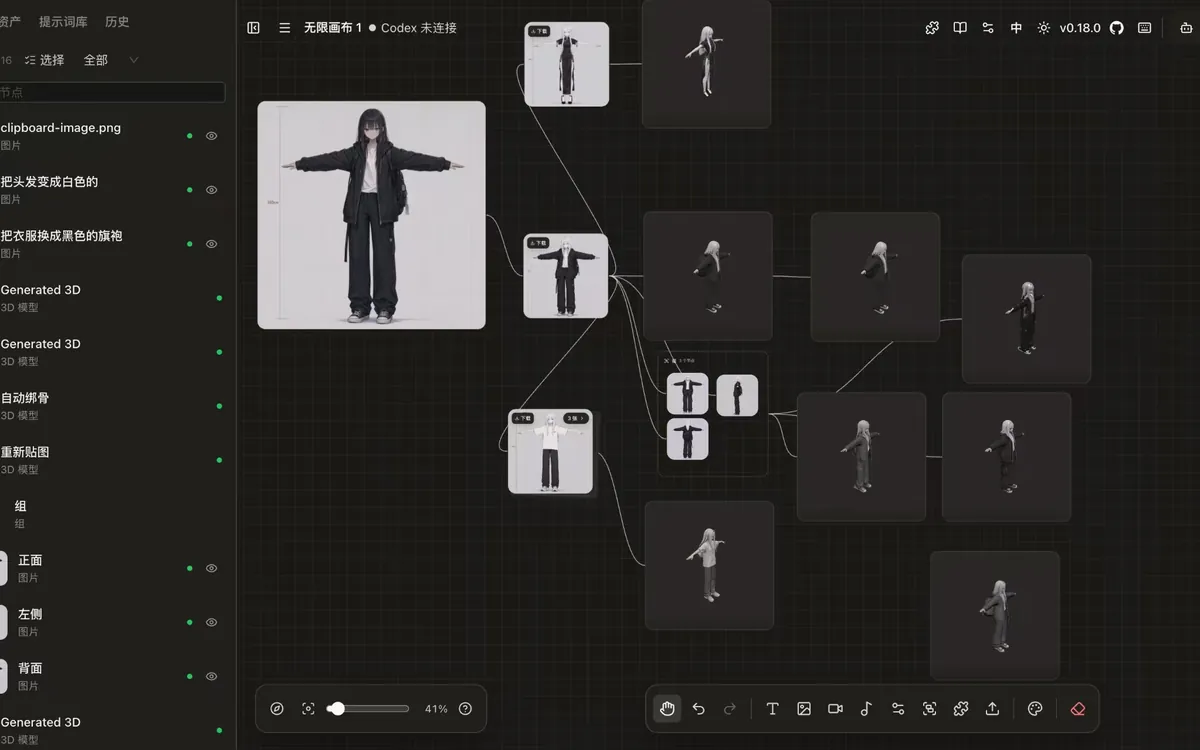 Demo
The canvas agent connects to Codex and Claude Code over MCP to run text-, image- and multiview-to-3D right inside nodes.
View details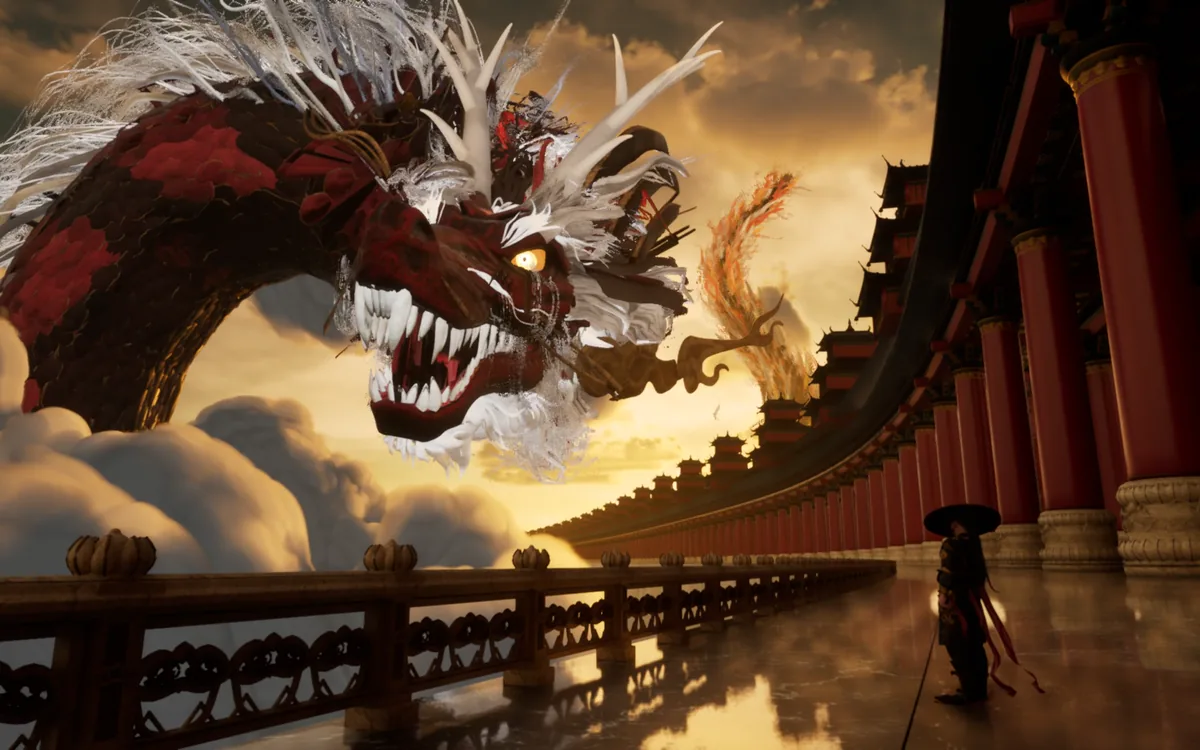 Demo
Kimi’s official tutorial: code drives Blender to build scenes, while Tripo models the characters and statues.
View details>_ FAQ !!!
Official plugins are ready-made Tripo extensions in Kimi, WorkBuddy, Codex, DeepSeek Harness, Hermes Agent and MiniMax Code: install, sign in and generate in the chat. It’s the easiest option. Tripo CLI is a command-line tool on your computer (Node.js 20+): send one message and any agent that runs commands installs it for you and saves models straight into your project, or use it yourself in a terminal. MCP config is for developers who want Tripo in any MCP client: run npx -y tripo-cli mcp locally. No coding? Choose “Official plugins”.
No coding? Install a plugin or send one message. Developers can use the command line or MCP config. Three steps either way.